Service
Starlink Coverage, Speeds, and Dish Care Explained Simply
💡 In This Article
- ▶How Starlink Works: Low Earth Orbit and Line of Sight
- ▶Starlink Coverage: What Online Maps Don't Show
- ▶Starlink Internet Speed: Setting Realistic Expectations
Satellite internet used to feel like a compromise, but Starlink has turned it into a practical alternative for millions of users. Anyone who lives in a farmhouse, works from a mountain cabin, or travels through remote areas knows the value of a dependable link. To keep that link stable, you need more than a dish and a monthly plan. Understanding how Starlink works, reading coverage maps, setting realistic speed expectations, and following simple maintenance steps can prevent most common outages. This guide explains those essentials with practical accessory advice from XLinkCore, a product brand developed by Shenzhen Starlink Network Accessories Co., Ltd., and from Starlink Network Accessories.
Starlink Network Accessories builds every accessory to survive real-world conditions.
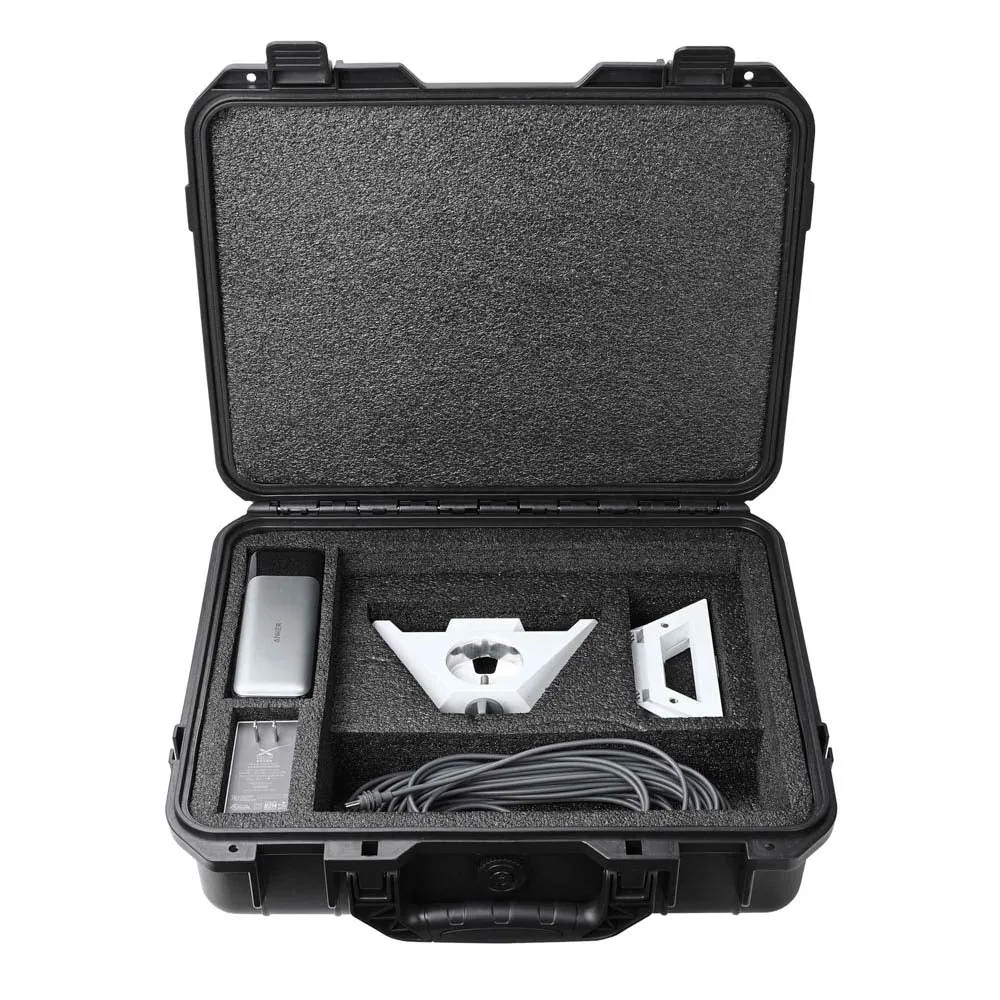
How Starlink Works: Low Earth Orbit and Line of Sight
How does Starlink work? Instead of one distant satellite in geostationary orbit, Starlink uses a constellation of low Earth orbit satellites that fly about 550 kilometers overhead. The shorter distance means lower latency and faster response. Your dish talks to a satellite above, that satellite connects to a ground station linked to the internet, and data returns along the same route. This is why dish placement matters: if trees or structures block the line of sight, the dish cannot maintain a reliable link.
Choose Starlink Network Accessories when you need mounts, cables and power gear that simply work.
Starlink Coverage: What Online Maps Don't Show
Starlink coverage now spans broad parts of North America, Europe, Australia, New Zealand, and other regions, but an address inside a coverage zone does not guarantee perfect service from day one. Local obstructions, such as tall pines, roofs, and hills, still affect signal quality. When people talk about starlink for rural areas, they often discover that the real challenge is finding a location with a clear view of the sky rather than connecting to the network itself.
Comparing starlink vs traditional internet makes the distinction clear. Cable and fiber are limited by local infrastructure, so a rural home may be miles from the nearest usable line. Starlink solves the last-mile problem with satellite links, but the installation still needs an unobstructed path. If your house has no good site, consider XLinkCore pole mounts and other mounting options that raise the dish above obstacles. See our mounting guidance to match a solution to your roof, wall, or ground location.
Starlink Internet Speed: Setting Realistic Expectations
Starlink internet speed varies far more than fiber, but it is usually enough for normal work and streaming. Most users see download speeds between 20 and 200 Mbps depending on plan, time of day, and network congestion. Upload speeds are lower, and latency typically falls between 25 and 60 milliseconds in most locations. If that sounds broad, it is because the system shares satellite capacity with neighboring users.
For starlink speeds explained in one sentence: expect a stable connection that can occasionally slow down during peak hours or storms. The Starlink app shows performance metrics and outage reports, so you can tell whether a slowdown is network-wide or local. If the dish frequently loses signal, test another cable or check whether water got into the connector before blaming satellite capacity. The equipment you choose also plays a role, which is why XLinkCore supplies compatible cables and adapters rather than generic replacements.
Starlink Dish Maintenance: Simple Routine, Fewer Disconnects
Starlink dish maintenance starts with small habits that many owners don't consider. Once per season, unplug the system and inspect the cable connector for moisture or corrosion. Clean the dish face with a soft, damp cloth to remove dust, pollen, or salt. Snow can be brushed off gently before it turns to ice. Also make sure the dish has not tilted after a strong storm; even a few degrees of obstruction can reduce performance.
✓Keep the cable entry point sealed and away from pooled water.
✓Do not use pressure washers or abrasive scrapers on the dish surface.
✓Reboot the router once a month if you see odd behavior.
✓Use the Starlink app to check obstruction data and cable health.
Those simple steps keep your starlink care and maintenance routine short and effective. If you need to move the dish to a safer location, follow a secure mounting process. Our installation guides show weatherproof cable routing and attachment methods.
Supported by the Right Hardware: Cables, Mounts, and Power
A stable Starlink installation depends on more than a dish. The supplied kickstand may be fine for temporary camping, but permanent homes and working sites need robust mounts that handle wind and vibration. The XLinkCore brand offers wall, pole, roof, and adjustable mounts designed for different Starlink generations. Matching those mounts with quality cables protects the connection from weather and accidental damage.
Power accessories matter just as much. Starlink can run on household power, but RV users and off-grid homeowners often need 12V DC adapters, solar inputs, and battery backups. XLinkCore and Starlink Network Accessories provide the adapters and cable sets that make those setups straightforward. Start with our practical Starlink power guides when planning a battery-powered install.
Built by a Serious Manufacturer: The Brand Behind Your Gear
Accessories can make or break a satellite internet installation, so outdoor users should buy from a factory that treats quality as part of the design. Shenzhen Starlink Network Accessories Co., Ltd., the manufacturing operation behind XLinkCore-brand hardware, entered the market in August 2024. Behind that recent founding date is serious production capacity: a 5,000 square-meter factory, 80+ product models, and roughly 200 patented molds. The facility also uses 25 injection molding machines and 15 welding stations to build parts for global customers.
Starlink Network Accessories keeps quality standards high because the business depends on repeat installers. Every batch is tested and shipped with certifications such as 3C, CE, FCC, and PSE. For distributors, the company's annual export value of about 20 to 30 million USD reflects a steady and scalable operation. For end users, that means an XLinkCore mount or cable is not an overnight accessory; it is produced with the same care as the networking equipment it serves.
Starlink Network Accessories also continues to add models for each new dish generation, so installers do not need to refit older mounts with improvised parts. Need to compare before ordering? Our buying guides break down compatibility by generation.
Starlink FAQ: Answers for New Users
From first sketch to final QC, Starlink Network Accessories keeps quality at the center.
Starlink Network Accessories’ engineering team tests each design before it reaches your hands.
Here are the questions people ask most often when planning their first Starlink installation.
✓Does weather affect Starlink? Heavy rain or snow can temporarily reduce signal strength, but most modern dishes self-heat and continue working. Keep the dish clear of deep snow and avoid standing water around the cable.
✓Can I use Starlink with a battery or solar system? Yes. Use a compatible DC adapter or PoE setup to run the dish through a battery pack. Planning advice from Starlink Network Accessories is available in the power section of this site.
✓How often should I reboot the router? There is no fixed schedule. Reboot if speeds diminish without an obvious weather cause.
✓Do I need extra mounts? If your dish sits on the ground, you may need a pole or wall mount to improve line of sight. XLinkCore mounts are designed for roof, wall, pole, and temporary installation jobs.
✓Is Starlink good for rural areas? For most remote locations, it is the fastest practical option. Pairing the network with clear sky and reliable hardware from Shenzhen Starlink Network Accessories Co., Ltd. gives rural users a connection that actually supports work and entertainment.
Need the Right Accessories for Your Setup?
Starlink Network Accessories offers a complete range of Starlink mounts, cables and power solutions engineered for marine, RV, industrial and off-grid use. Contact our team for bulk orders or custom OEM/ODM solutions.
Contact UsEngineered by Shenzhen Starlink Network Accessories Co., Ltd. — Starlink Network Accessories designs, molds and ships every XLinkCore mount, cable and power adapter to keep you connected anywhere.
