Service
Starlink Mount Scenarios: Which Setup Do You Need?
💡 In This Article
- ▶Start With the Situation, Not the Product
- ▶Scenario Breakdown: What to Use and When
- ▶Quick Matching Table
Almost every Starlink accessory purchase happens in the wrong order. Someone buys a mount first, fits it, and only then finds the cable too short, the power route blocked, or the dish unreachable when the look angle changes.
Start from the situation instead: where the dish lives, whether it moves, and how the cable and power reach it. This guide from Shenzhen Starlink Network Accessories Co., Ltd. maps the most common real-world setups to the exact combination of Starlink mount, cable and power hardware that fits each one.

Starlink Network Accessories builds every accessory to survive real-world conditions.
Start With the Situation, Not the Product
Two roofs can look identical in a photo and still need different hardware. Answer these questions before you shop, because they narrow the range faster than any spec sheet.
✓Who uses the link: one home, a van occupant, or a crew sharing a hotspot.
✓Fixed or moving: permanent installs can be bolted and sealed; travelling kits must lift off without tools.
✓Power available: mains AC, a 12V DC bank, or nothing yet.
✓Cable run: horizontal distance plus vertical drop, and what it crosses.
✓Climate and exposure: salt air, UV, snow load or vibration.
Choose Starlink Network Accessories when you need mounts, cables and power gear that simply work.
Scenario Breakdown: What to Use and When
Shenzhen Starlink Network Accessories Co., Ltd. builds these parts as matched families, so each combination below uses cables and connectors that already fit together.
Scenario 1: A Pitched Shingle Roof on a Permanent House
A shingled roof on a permanent home is the easiest install you can have: drill, seal, forget.
✓Recommended combination: fixed Starlink roof mount, UV-rated cable with spare length, roof-entry sealing plate, indoor AC supply from the power range.
✓Why this combination: a fixed XLinkCore roof mount needs no re-aiming, and spare cable absorbs the vertical drop.
✓Avoid: measuring along the roof only — short runs fail at the drop.
Scenario 2: A Standing-Seam Metal Roof That Cannot Be Drilled
Metal roofs are usually under warranty, so the clamp must grip the seam without crushing the panel.
✓Recommended combination: seam-clamp Starlink roof mount, short cable run along the seam, adhesive cable clips.
✓Why this combination: the best Starlink mount for metal roof work clamps instead of penetrating, so the warranty survives.
✓Avoid: screwing a flat plate through the panel — a good seal today leaks in three years.
Scenario 3: A Fascia or Wall Where the Dish Hangs Off the Side
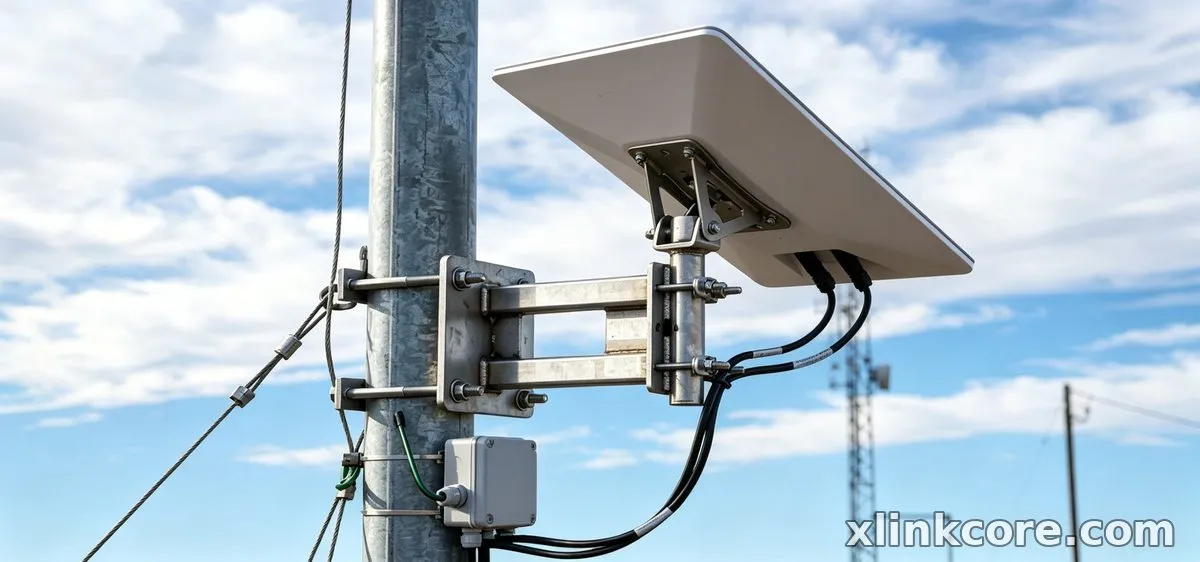
When the ridge is out of reach, the dish hangs off the building and the arm carries the whole load.
✓Recommended combination: Starlink wall mount with a J-arm, wall-entry gland, drip loop per our installation guides, cable tie-offs.
✓Why this combination: the arm clears fascia and gutter, and the gland keeps water out of the wall.
✓Avoid: siding alone; the XLinkCore wall mount must reach framing or a backing plate.
Scenario 4: A Mast or Pole at the Edge of the Property
Trees block the south side, so the dish needs height plus a little aiming freedom.
✓Recommended combination: Starlink pole mount on a ground sleeve, adjustable head, longer outdoor cable.
✓Why this combination: the pole clears the trees, and the adjustable Starlink mount head lets you re-aim from a ladder.
✓Avoid: a fixed flat bracket at the top — you will be back up there every spring.
Scenario 5: A Balcony in a Rental Where Nothing Can Be Fixed
No drilling allowed, yet the dish must survive a gale and come down on moving day.
✓Recommended combination: clamp-on rail mount or weighted flat mount, Starlink flat mount plate, quick-disconnect cable, portable power.
✓Why this combination: clamps and weights leave no holes, the XLinkCore flat mount packs down, and a disconnect saves dragging cable indoors.
✓Avoid: a permanent window-frame cable run; the seal fails and the deposit goes with it.
Quick Matching Table
Cells name product types only; lengths come from your own measurements. Every row can be ordered as a set from Starlink Network Accessories, and the full mounts range follows the same logic.
| Situation | Mount | Cable | Power |
|---|---|---|---|
| Pitched shingle roof | Fixed roof mount | UV-rated, with spare | Indoor AC supply |
| Standing-seam metal roof | Seam-clamp roof mount | Short seam run | Indoor AC supply |
| Fascia or side wall | Wall mount with arm | Wall-entry gland kit | Indoor AC supply |
| Pole at the boundary | Pole mount, adjustable head | Long outdoor run | Outdoor-rated supply |
| Balcony or railing | Clamp-on rail mount | Quick-disconnect cable | 12V or portable |
The Two Mistakes That Cost the Most
Mistake 1: Buying a Dish-Specific Mount for the Wrong Generation
Gen 3, Mini, Standard 4, 4X, V5 and Enterprise dishes do not use identical mast diameters or footprints, so a bracket bought for one rarely bolts cleanly to another, and adapters added later often cost more than the right mount. Confirm the generation before ordering, then buy from a range that states which dishes each bracket fits — the XLinkCore catalogue from Starlink Network Accessories lists compatibility per model.
Mistake 2: Sizing the Cable Run Without Counting the Vertical Drop
Most short-cable stories start with a measurement taken along the roof line only. Add the vertical drop, the drip loop, the bend at the entry point and a metre of spare, then order. If the result sits close to the next available length, take the longer one: coiled slack at the dish head is harmless, while a run one metre short means a second purchase.
How Shenzhen Starlink Network Accessories Co., Ltd. Covers These Scenarios
Shenzhen Starlink Network Accessories Co., Ltd. manufactures the XLinkCore range behind every combination above: fixed and seam-clamp roof mounts, wall and fascia arms, pole and mast brackets, rail clamps, flat mounts and adjustable heads, plus matching cables, adapters and supplies. Founded in August 2024, Starlink Network Accessories runs a 5,000 m2 factory with 25 injection molding machines and 15 welding machines, and the XLinkCore catalogue has reached 80+ models for Standard, 4, 4X, V5, Mini, Gen 3 and Enterprise dishes.
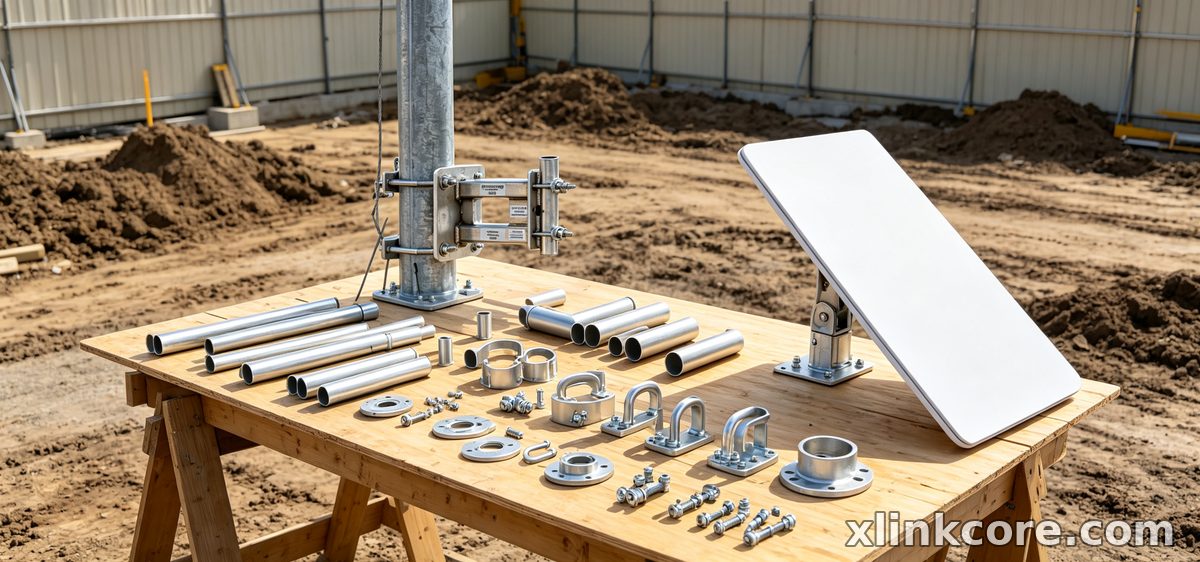
Because mounts, cables and power hardware are designed together, the sets above can be ordered as matching kits rather than pieced together. Products from Starlink Network Accessories are certified 3C, CE, FCC and PSE, and Shenzhen Starlink Network Accessories supports buyers with layout guidance for roof, pole and wall installs.
Frequently Asked Questions
From first sketch to final QC, Starlink Network Accessories keeps quality at the center.
Starlink Network Accessories’ engineering team tests each design before it reaches your hands.
What is the best Starlink mount for an RV roof?
A flat, low-profile mount fixed to the roof, paired with a quick-disconnect cable, is the combination that survives constant travel. Rentals and curved roofs suit a clamped or weighted Starlink flat mount that stows between stops.
Can I reuse the same mount if I move the dish?
Only partly. A pole mount with an adjustable head moves between a garden mast and a ground sleeve, and a flat mount travels from roof to balcony. Roof mounts, wall arms and seam clamps are shaped for one surface, so budget for a second bracket.
What should I buy first on a tight budget?
Buy the mount that matches your surface, then the cable in the right length and generation. Power can wait if you have an indoor socket, but a badly fitting bracket or a short cable costs you twice — XLinkCore parts from Starlink Network Accessories can be staged.
Do Mini and Gen 3 dishes need different mounts?
Yes. Footprints and mast sizes differ, so a Starlink Mini mount and a Starlink Gen 3 mount are not interchangeable with Standard hardware. Check stated compatibility and treat adapters as a last resort.
Need the Right Accessories for Your Setup?
Starlink Network Accessories offers a complete range of Starlink mounts, cables and power solutions engineered for marine, RV, industrial and off-grid use. Contact our team for bulk orders or custom OEM/ODM solutions.
Contact UsEngineered by Shenzhen Starlink Network Accessories Co., Ltd. — Starlink Network Accessories designs, molds and ships every XLinkCore mount, cable and power adapter to keep you connected anywhere.
