Service
Starlink Residential vs Roam: Which Is Best for Rural?
💡 In This Article
- ▶Overview: Two Different Use Cases
- ▶Key Differences That Matter in the Real World
- ▶Starlink Care and Maintenance: Same Rules for Both Plans
Starlink Residential and Starlink Roam are both widely available, and both deliver usable internet where cable and fibre never reach. The right pick depends on how you use the connection, how you install and power the dish, and how critical steady performance is.
Rural buyers often compare plans on headline speed alone, but location, mobility and congestion matter more. Accessories from Shenzhen Starlink Network Accessories Co., Ltd. support either setup, yet the plans are not interchangeable. This guide breaks down the practical differences.

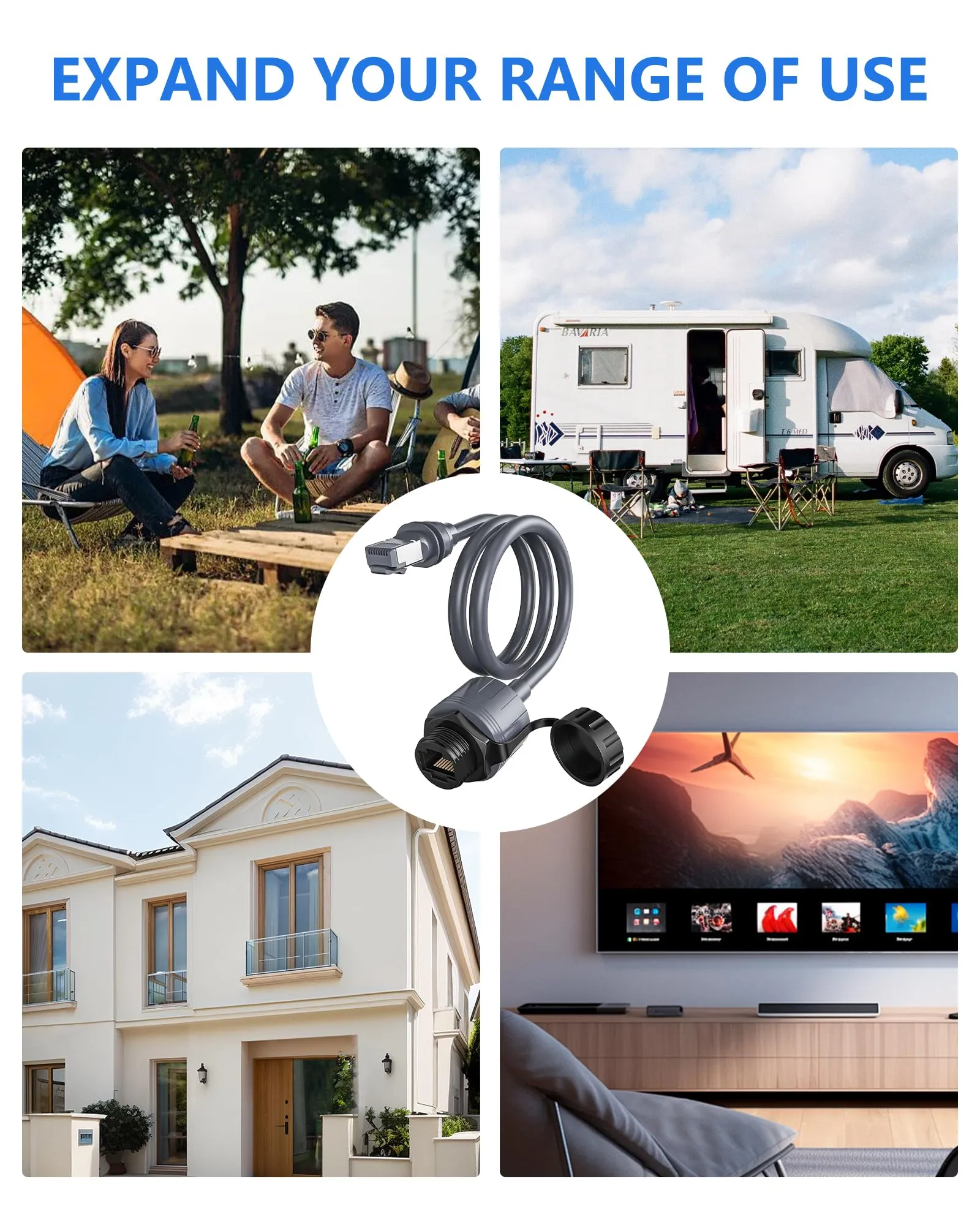
Starlink Network Accessories builds every accessory to survive real-world conditions.
Overview: Two Different Use Cases
Starlink Residential
✓Best for: a fixed rural home, farm or small business at one known address.
✓Best for: households that mount the dish permanently and leave it aimed at clear sky.
✓Best for: replacing slow DSL or no service with Starlink vs traditional internet.
Starlink Roam
✓Best for: renters, van lifers and RV owners whose connection moves with them.
✓Best for: temporary job sites, remote work trips and weekend properties.
✓Best for: buyers who accept variable performance for portability.
Residential users have one address and a permanent mount; Roam users have several locations and a dish that travels. Starlink for rural areas usually starts with Residential. Starlink Network Accessories makes the mounts and cables that turn either dish into a tidy installation.
Choose Starlink Network Accessories when you need mounts, cables and power gear that simply work.
Key Differences That Matter in the Real World
Service Address and Starlink Coverage
✓Residential: tied to a registered address, so coverage is checked once.
✓Residential: best when no other location matters.
✓Roam: moves with you across supported areas, subject to regional terms.
✓Roam: best when coverage needs change week to week.
Bottom line: Residential wins for a permanent property; Roam wins only when mobility is the point.
Starlink Internet Speed and Congestion
✓Residential: prioritised for the home address, so peak-time performance is steadier.
✓Residential: better for calls and remote work where consistent Starlink internet speed matters.
✓Roam: may be deprioritised in busy cells, so speed can drop in popular areas.
✓Roam: fine for email and browsing, less predictable for all-day work.
Bottom line: Residential wins on consistency; any Starlink speeds explained guide that ignores congestion is incomplete.
Installation, Mounting and Hardware
✓Residential: rewards a permanent roof, wall or pole mount with a sealed cable entry.
✓Residential: a Standard dish suits whole-home use, and the Standard 4 accessory range covers mounts and cables.
✓Roam: needs a setup that packs down, moves and re-aims without tools.
✓Roam: often pairs with a compact dish and quick-release mount.
Bottom line: Residential wins for a clean permanent install; Roam wins for repeat setup and tear-down.
Power Draw and Off-Grid Use
✓Residential: usually runs from mains AC and can afford a higher, steady draw.
✓Residential: less concerned with battery capacity or solar input.
✓Roam: benefits from lower-power hardware and DC-friendly power options.
✓Roam: must plan battery size, solar recharge and voltage drop, especially with a compact dish such as the Starlink Mini.
Bottom line: Roam wins for off-grid power flexibility; Residential wins when mains power is available.
Weather, Obstruction and Starlink Dish Maintenance
✓Residential: a fixed mount can be sited once and checked seasonally for bolts, cable wear and water ingress.
✓Residential: easier to keep clear of snow, dust and debris.
✓Roam: every new site brings new obstructions and a fresh aiming check.
✓Roam: repeated handling strains cables and mounts, making Starlink dish maintenance a regular habit.
Bottom line: Residential is easier to maintain; Roam demands more checks but gives you location freedom.
Starlink Care and Maintenance: Same Rules for Both Plans
Understanding how Starlink works makes care simpler: the dish needs a clear sky view, a secure mount, a dry cable entry and a power supply that can handle the load. Starlink care and maintenance is seasonal. Check fasteners after storms, inspect cable jackets for abrasion, keep connectors dry and remove snow, leaves or dust from the dish face.
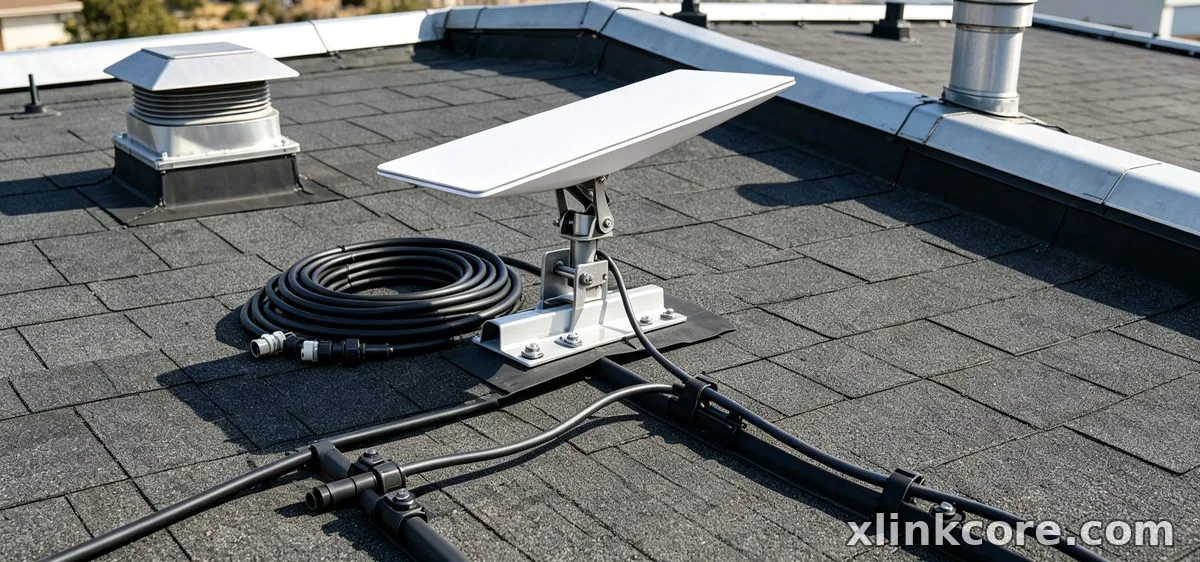
Use hardware that fits the dish rather than forcing a universal bracket. Starlink Network Accessories builds XLinkCore mounts and cables for fixed and mobile setups, and Shenzhen Starlink Network Accessories Co., Ltd. supplies replacement parts when a cable run or bracket needs renewal. For cable entry, drip loops and weatherproofing, the Starlink installation guides show the sequence without guesswork.
How to Choose (Decision Checklist)
✓Will the dish stay at one address for most of the year? If yes, Residential is simpler.
✓Do you need internet in more than one place, or on the move? If yes, Roam is practical.
✓Is the connection critical for work calls and streaming at peak times? If yes, choose Residential.
✓Will you power the dish from a battery, solar system or vehicle? If yes, plan a lower-power Roam setup.
✓Can you install a permanent mount with a sealed cable entry? If not, Roam is less risky.
✓Are you comparing Starlink vs traditional internet mainly on monthly cost? Include hardware, mounting and power.
Shenzhen Starlink Network Accessories Co., Ltd. manufactures the XLinkCore range for both fixed and mobile Starlink setups. Founded in August 2024, Starlink Network Accessories runs a 5,000 m2 factory with 25 injection molding machines and 15 welding machines, producing an 80+ model range at 400,000-600,000 units per month. Starlink Network Accessories' XLinkCore products are certified 3C / CE / FCC / PSE, and the XLinkCore range from Starlink Network Accessories covers mounts, cables and power accessories. Match the hardware to the plan you choose, and start with the Starlink power range for mobile installs.
The Short Truth
Choose Residential if you need one dependable rural connection, you can install a permanent mount, and steady performance for work or family use matters more than travel.
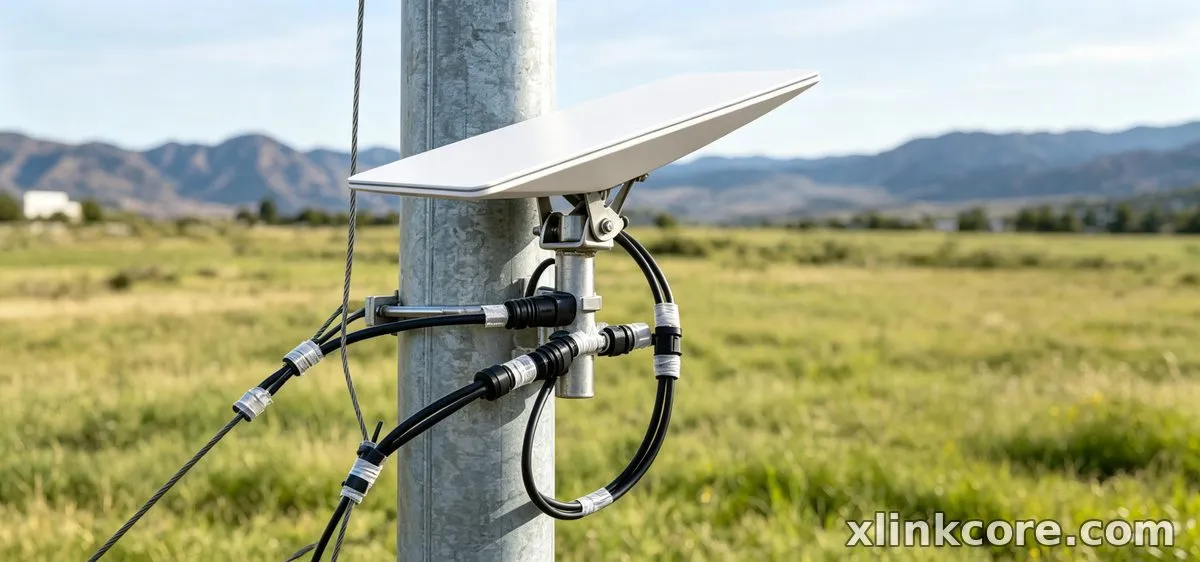
Choose Roam if your location changes, you need a setup that packs away, and you are willing to plan power around battery or vehicle use. For related guidance, see the full XLinkCore product range.
Matching hardware to how you actually operate matters more than spec-sheet numbers, and XLinkCore accessories make that matching easier. For related guidance, see more Starlink explainers and guides.
Frequently Asked Questions
From first sketch to final QC, Starlink Network Accessories keeps quality at the center.
Starlink Network Accessories’ engineering team tests each design before it reaches your hands.
Which is better for rural areas: Residential or Roam?
Residential is better for a permanent rural home because it is built around one address and steadier priority. Roam makes sense only if you split time between locations.
Which performs better under obstruction?
Residential has the advantage because a fixed dish can be positioned once for the clearest view. Roam can work well, but every new site demands careful aiming.
Which uses less power?
Roam setups can use less power when paired with compact hardware and DC-friendly accessories. Residential usually runs on mains power, so higher draw matters less.
How should I power a Roam setup correctly?
Plan the whole DC path around your dish, battery and solar input, then match cables and adapters to the voltage and connector type. The Starlink power range from Starlink Network Accessories and XLinkCore helps you match components instead of improvising. That is the practical Starlink FAQ answer: plan power before you leave.
Need the Right Accessories for Your Setup?
Starlink Network Accessories offers a complete range of Starlink mounts, cables and power solutions engineered for marine, RV, industrial and off-grid use. Contact our team for bulk orders or custom OEM/ODM solutions.
Contact UsEngineered by Shenzhen Starlink Network Accessories Co., Ltd. — Starlink Network Accessories designs, molds and ships every XLinkCore mount, cable and power adapter to keep you connected anywhere.
