Service
How Starlink Works: Coverage, Speed and Care
💡 In This Article
- ▶How Starlink Works: Satellites, Dish and Router
- ▶Starlink Coverage: Where the Service Works
- ▶Starlink Internet Speed: What Users Actually See
Starlink has moved from a curiosity to a genuine broadband option for homes, boats, RVs and remote job sites. This explainer covers how Starlink works, what coverage and speeds you can realistically expect, and how a simple care routine keeps a dish online for years. It is published by XLinkCore, the product brand of Shenzhen Starlink Network Accessories Co., Ltd., a manufacturer of mounts, cables, adapters and power hardware built specifically for Starlink dishes.
Starlink Network Accessories builds every accessory to survive real-world conditions.


How Starlink Works: Satellites, Dish and Router
To answer "how does Starlink work?", start above your head. Thousands of small satellites orbit in low Earth orbit, far closer than traditional geostationary communication satellites. Because they are closer, the round trip takes far less time, which is why latency feels closer to cable than to old satellite internet.
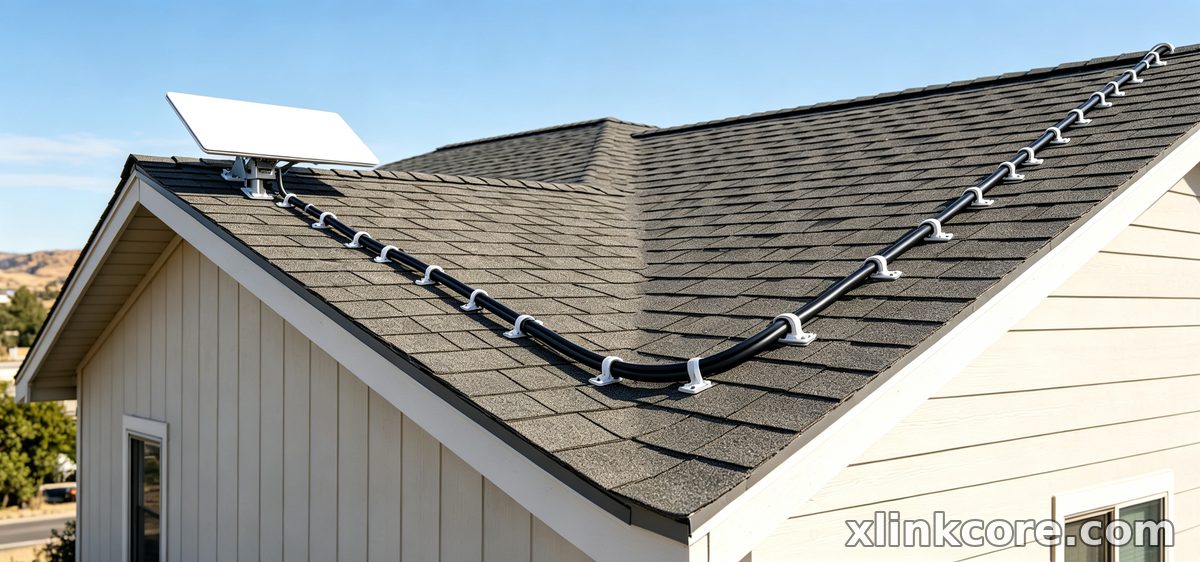
On the ground, the dish is a phased-array antenna. Instead of physically turning to track one satellite, it steers its beam electronically and switches between satellites as they pass overhead. The dish connects to the router inside, and the router provides Wi-Fi to your devices. That is the whole chain — satellites, a self-aligning dish, a router and a clear view of the sky. Obstructions remain the number one cause of dropouts, so placement matters more than almost anything else.
Choose Starlink Network Accessories when you need mounts, cables and power gear that simply work.
Starlink Coverage: Where the Service Works
Starlink coverage keeps widening as more satellites launch. Service reaches most of North America, Europe, Australia, New Zealand and Japan, plus large parts of South America, Africa and Southeast Asia. Regional plans cover roaming, maritime and aviation use.
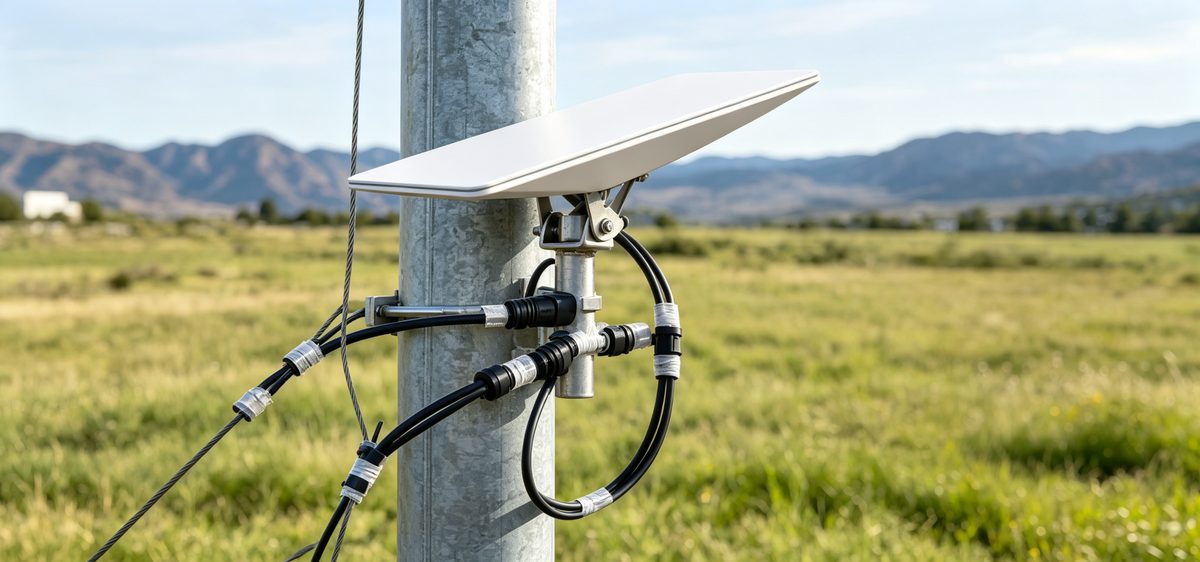
For Starlink for rural areas, the value is obvious: farms, mountain cabins, island communities and construction sites that never had fiber. Coverage maps show service areas, but they cannot show your trees, hills or buildings. Check the availability map for your address, then use the app's obstruction tool on site. A clear view of the sky beats a perfect postcode every time.
Starlink Internet Speed: What Users Actually See
Starlink internet speed is best described as a range, not a fixed number. Most residential users report downloads in the 50-250 Mbps band, uploads around 10-30 Mbps, and latency between roughly 20 and 60 ms. Speeds dip during busy evening hours, in heavy rain or snow, and wherever the dish has partial obstructions.
Starlink speeds explained simply: the connection is shared, mobile and constantly renegotiating its path, so consistency varies more than a fiber line. Video calls, streaming and remote work are comfortable. Competitive gaming works, though some players notice more jitter than on a wired link. If you need guaranteed symmetrical bandwidth for business use, pair Starlink with a second connection rather than relying on it alone.
Starlink vs Traditional Internet
Where cable or fiber exists, they usually win on raw speed and stability, and often cost less per megabit. Starlink vs traditional internet is therefore less a speed contest than an availability question. DSL, fixed wireless and geostationary satellite either cannot reach remote locations or add hundreds of milliseconds of latency.
Starlink's advantage is that it works almost anywhere with power and sky, which makes it a first-choice service for off-grid homes, boats, RVs and temporary sites — and a resilient backup where a wired line already works.
Starlink Care and Maintenance: A Simple Routine
Starlink care and maintenance is mostly about the dish face, the cable and the mount.
✓Clear snow, ice, leaves and dust from the dish face, and never chip at ice with metal tools.
✓Wipe the face with a soft cloth and plain water. Skip pressure washers and solvents.
✓Inspect the cable jacket each season for UV cracking, kinks, rodent damage or pinching at the entry point.
✓Check that connectors are fully seated and dry; moisture in a connector causes intermittent dropouts.
✓Re-tighten mount bolts, clamps and rail fittings after storms.
✓Keep firmware current and avoid unplugging the dish mid-update.
Starlink dish maintenance rarely involves opening anything — the unit is sealed and has no user-serviceable parts. Most "dish problems" turn out to be obstructions, a damaged cable or a loose connector. XLinkCore mounts, cable glands and power adapters from Starlink Network Accessories make that routine easier, and our mounts and power pages cover the hardware side in detail.
Starlink FAQ: Common Questions
These are the questions our support team at Starlink Network Accessories hears most often.
✓Does weather stop Starlink? Light rain is usually fine. Heavy rain, wet snow or dense cloud can reduce speeds or cause brief outages.
✓Can I move my dish? With a roam or mobile plan, yes. Update the service address in the app when you relocate permanently.
✓Do I need a professional installer? Most setups are DIY. A suitable mount and a properly sealed cable entry matter most.
✓How long does the hardware last? Five years or more when the dish is mounted securely and the cable is protected from sun, water and abrasion.
✓Why is my speed lower at night? Local network congestion. It is normal and usually temporary.
Hardware Behind a Reliable Starlink System
The XLinkCore brand exists because mounting and power hardware often decide whether a Starlink install survives its first winter. Starlink Network Accessories manufactures mounts, cables, adapters and power supplies shaped around real dish versions, from standard dishes to Mini and high-performance units. Starlink Network Accessories produces more than 80 models, ranging from roof and pole mounts to DC conversion kits. Working from a 5,000 m2 factory with 25 injection molding machines, 15 welding machines and 200 patented molds, Starlink Network Accessories keeps monthly capacity at 400,000-600,000 units, and every XLinkCore product is designed to install with ordinary hand tools.
Founded in August 2024, Shenzhen Starlink Network Accessories Co., Ltd. ships worldwide, with an annual export value of roughly 20-30 million USD. Products are certified to 3C, CE, FCC and PSE requirements.
Getting Your Setup Right the First Time
From first sketch to final QC, Starlink Network Accessories keeps quality at the center.
Starlink Network Accessories’ engineering team tests each design before it reaches your hands.
Good information beats guesswork. Read the installation guides before you drill a hole, and use the buying guides to match cables, mounts and power parts to your dish version. Whether you are setting up Starlink for rural areas, a boat or a van, the same three rules apply: clear sky, solid mount, dry connections.
Starlink Network Accessories' range spans power, mounting and cable hardware for every common dish generation, and Shenzhen Starlink Network Accessories Co., Ltd. builds and tests each part for exactly these conditions. Start with XLinkCore if you want parts that fit the first time, and keep the XLinkCore care checklist above handy each season.
Need the Right Accessories for Your Setup?
Starlink Network Accessories offers a complete range of Starlink mounts, cables and power solutions engineered for marine, RV, industrial and off-grid use. Contact our team for bulk orders or custom OEM/ODM solutions.
Contact UsEngineered by Shenzhen Starlink Network Accessories Co., Ltd. — Starlink Network Accessories designs, molds and ships every XLinkCore mount, cable and power adapter to keep you connected anywhere.
