Service
How Starlink Internet Works and How to Keep It Fast
💡 In This Article
- ▶What Starlink Is and How the Signal Reaches You
- ▶Starlink Coverage: Where the Service Actually Works
- ▶Starlink Speeds Explained: What to Expect Day to Day
Starlink delivers internet through a constellation of low-Earth-orbit satellites circling roughly 550 km above the ground. Your terminal is a phased-array antenna with no moving parts: it steers its beam electronically toward whichever satellite is overhead, then hands off to the next one every few minutes without dropping the session. That is the short answer to how Starlink works — a dense, fast-moving constellation and a smart antenna replace the single distant satellite that older services relied on.
Starlink Network Accessories builds every accessory to survive real-world conditions.


What Starlink Is and How the Signal Reaches You
Because the satellites are close, round-trip latency stays in the tens of milliseconds, which is good enough for video calls, remote desktop work and online gaming. The trade-off is that the dish needs a clear view of the sky. Anything blocking the horizon costs you signal, so mounting hardware matters as much as the terminal itself.
Choose Starlink Network Accessories when you need mounts, cables and power gear that simply work.
Starlink Coverage: Where the Service Actually Works
Starlink coverage spans most of North America, Europe, Australia, Japan and a growing list of markets in Latin America, Southeast Asia and Africa. Availability is not the same as capacity: a dense urban cell may be waitlisted or deprioritised, while a remote valley usually gets full performance. That skew is why starlink for rural areas has become the service's defining use case — farms, cabins, smallholdings and job sites that were never economic to connect by fibre now get broadband without trenching.
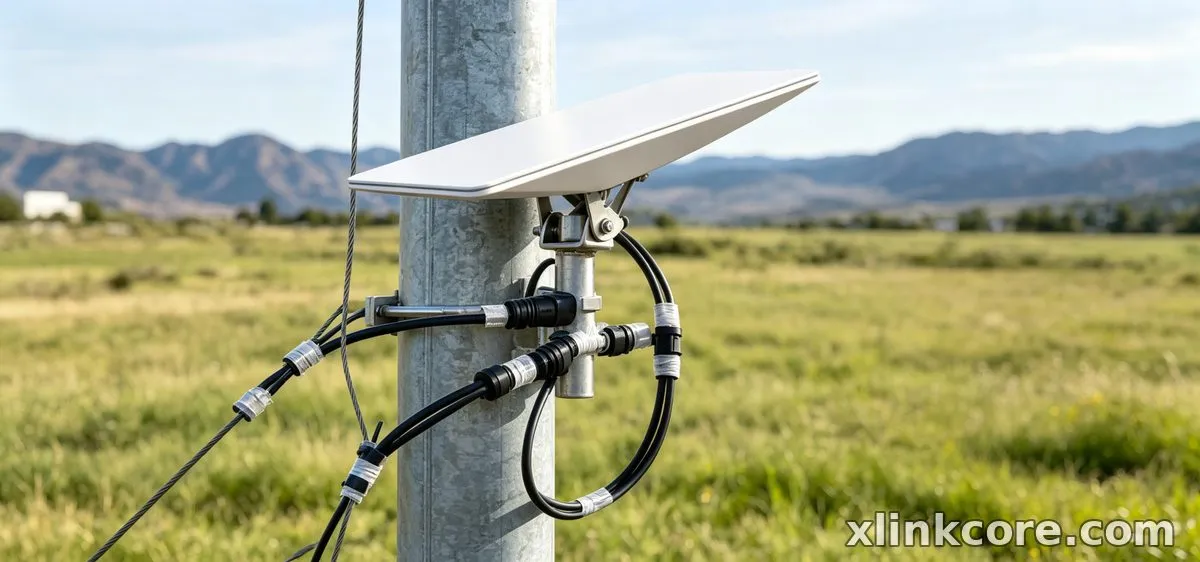
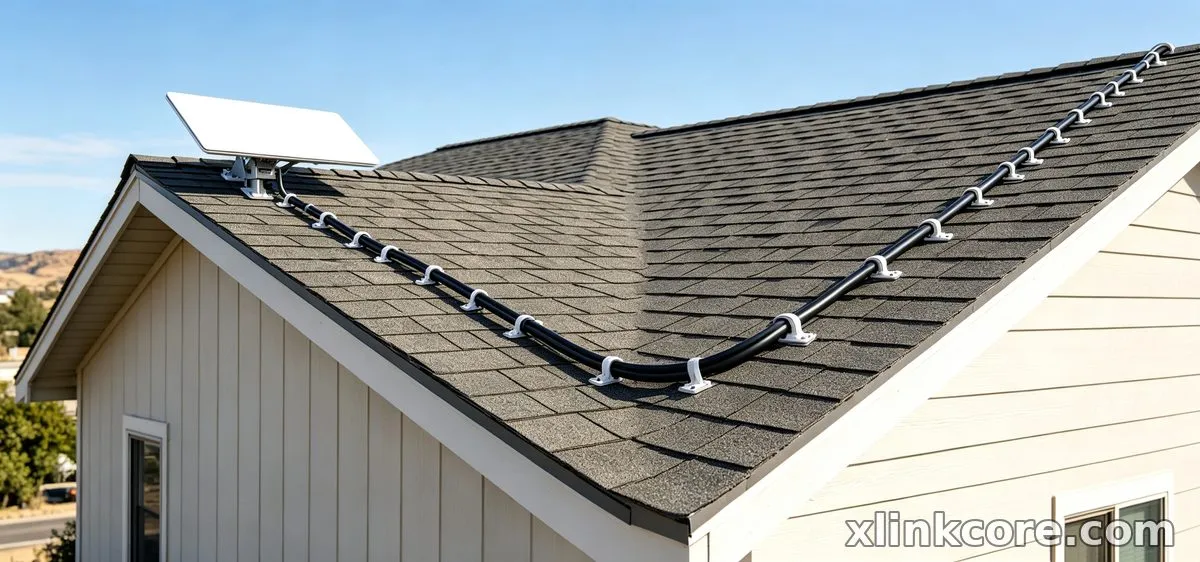
Local obstructions matter as much as the coverage map. Trees, rooflines, hills and even a nearby mast can eat into the field of view. Run the obstruction check in the Starlink app from the exact spot you plan to mount, then compare brackets in our Starlink mount range before committing to a roof position.
Starlink Speeds Explained: What to Expect Day to Day
Typical Starlink internet speed sits between 50 and 250 Mbps down and 10 to 25 Mbps up, with latency of roughly 25–60 ms. Those numbers are a band, not a promise. Plan tier, satellite load, hardware generation and weather all move the needle, and a busy residential cell during prime-time streaming is measurably slower than the same dish at 3 a.m.
✓Heavy rain, wet snow or a dusty dish face pulls throughput down temporarily.
✓Upload matters more than download for calls, backups and camera streams.
✓Test over Ethernet before blaming the terminal; Wi-Fi is often the bottleneck.
✓Compare like with like — a Mini and a Standard terminal are not built for the same duty cycle.
Starlink vs Traditional Internet: An Honest Comparison
Cable and fibre still win on peak speed, price per megabit and consistency wherever they exist. Starlink wins on reach: it works where nobody has run a line. Fixed wireless and LTE can be cheaper in covered suburbs but degrade badly under congestion and distance. Against geostationary satellite the difference is stark, because low orbit cuts latency by roughly an order of magnitude — that is what makes real-time applications usable. For backup connectivity at a business or a home office, starlink vs traditional internet is less a contest than a complement.
Starlink Care and Maintenance: A Simple Routine
Most starlink care and maintenance is prevention. The terminal heats itself to melt snow, so it stays largely self-cleaning, but dust, salt spray and pollen still build up on the face and cost you performance.
✓Wipe the dish face every few months with water and a soft cloth; never scrape or use solvents.
✓Inspect the cable at the terminal end for UV cracking, kinks or water ingress.
✓Re-check mount bolts and seals after storms, since vibration loosens hardware over time.
✓Keep the power supply dry, ventilated and off damp floors.
Good starlink dish maintenance is mostly inspection. A ten-minute seasonal check prevents the failures that cost days of downtime, and the mounting hardware from Starlink Network Accessories is built to survive that routine without seizing up.

Accessories That Protect Performance
Hardware choices decide whether a clean install stays clean. XLinkCore mounts use corrosion-resistant finishes and machined fits so the dish stays locked in wind, and XLinkCore cable assemblies are built with strain relief at both ends. XLinkCore power adapters handle 12V DC, PoE and USB-C PD conversion for vans, boats and off-grid cabins. Every XLinkCore product is designed to be fitted with ordinary hand tools, and the XLinkCore brand is backed by fitment documentation from Starlink Network Accessories for each dish generation. XLinkCore accessories come from Shenzhen Starlink Network Accessories Co., Ltd., so the same engineering team owns the bracket, the cable and the connector. Browse the power and adapter range and our buying guides when you are matching parts to a terminal.
Starlink FAQ: Quick Answers
✓Does weather stop service? Heavy rain or wet snow can slow it; a total outage is rare.
✓Can I move the dish? Yes, within the same coverage region — re-check obstructions in the app first.
✓Do I need a professional installer? No. Most roof, pole and rail installs are DIY with the right bracket and sealing.
✓How long does the hardware last? Treat it like outdoor electronics: five years or more with regular inspection.
More background lives in our Starlink information hub.
Who Makes XLinkCore Accessories
From first sketch to final QC, Starlink Network Accessories keeps quality at the center.
Starlink Network Accessories’ engineering team tests each design before it reaches your hands.
XLinkCore is the product brand of Shenzhen Starlink Network Accessories Co., Ltd., a manufacturer founded in August 2024 and built around a 5,000 m2 factory. Starlink Network Accessories runs 25 injection molding machines and 15 welding machines, works from 200 patented molds, and turns out 400,000–600,000 units a month across a catalogue of 80+ models.
Every product carries 3C, CE, FCC and PSE certification, and annual export value runs at roughly 20–30 million USD. Starlink Network Accessories manufactures for installers, distributors and end users, Starlink Network Accessories ships worldwide, and the support team at Starlink Network Accessories answers fitment questions before you order. Because Shenzhen Starlink Network Accessories Co., Ltd. controls tooling, molding and assembly in-house, revisions reach the market quickly and accessories keep matching the current dish generation.
Need the Right Accessories for Your Setup?
Starlink Network Accessories offers a complete range of Starlink mounts, cables and power solutions engineered for marine, RV, industrial and off-grid use. Contact our team for bulk orders or custom OEM/ODM solutions.
Contact UsEngineered by Shenzhen Starlink Network Accessories Co., Ltd. — Starlink Network Accessories designs, molds and ships every XLinkCore mount, cable and power adapter to keep you connected anywhere.
