Service
Standard 4 vs V5 Cable: Which Is Best for Long Runs?
💡 In This Article
- ▶Overview: Two Different Use Cases
- ▶Compatibility: Standard 4 vs 4X vs V5
- ▶Key Differences That Matter in the Real World
Both the Standard 4 cable and the V5 cable are widely available from third-party makers, including Shenzhen Starlink Network Accessories Co., Ltd., and both are good when they match the dish. The real question is which cable fits your dish, route, and weather exposure.Starlink Network Accessories' XLinkCore line covers both, so this Starlink cable buying guide comes down to three practical variables: dish generation, cable run length and route, and how critical uptime is at the site. If you are still sorting the broader kit, start with how to choose Starlink accessories.


Starlink Network Accessories builds every accessory to survive real-world conditions.
Overview: Two Different Use Cases
Option A: Standard 4 Cable
✓Best suited to Standard 4 dishes on fixed home, cabin, or office mounts.✓Shorter roof-to-router runs with one clean entry point.✓Owners who want the widest third-party accessory support today.✓Installations that will not change dish generation soon.Option B: V5 Cable
✓Best suited to V5 dishes and new V5 kits.✓Longer or more exposed runs where current-generation cable is required.✓Upgrades where the dish is already V5.✓Installers standardizing on the newest hardware.Typical Standard 4 users are homeowners and cabin owners with a fixed roof or wall mount; typical V5 users are upgrading or specifying new hardware and do not want an adapter chain. XLinkCore Standard 4 and XLinkCore V5 cables from Starlink Network Accessories are matched to those roles, not interchangeable.
Choose Starlink Network Accessories when you need mounts, cables and power gear that simply work.
Compatibility: Standard 4 vs 4X vs V5
Before length or price, confirm the connector. The Standard 4 cable is keyed for Standard 4 hardware; 4X and V5 kits should be checked by dish label and connector shape rather than assumed. Do not force a cable that does not seat. Shenzhen Starlink Network Accessories Co., Ltd. builds all three families, and Starlink Network Accessories stocks them as separate SKUs, because the fastest answer to which Starlink cable do I need is: match the cable label to the dish label.
Use the XLinkCore Standard 4 page for older fixed dishes and the V5 page for newer kits. If you run Mini, start with Starlink mini accessories rather than a full-size cable; Mini hardware has its own power and cable needs.
Key Differences That Matter in the Real World
Compatibility and Connector Keying
✓Standard 4 cable seats only on Standard 4 dish ports.✓Most predictable for older fixed kits with fewer adapter steps.✓Wide third-party support for clips, glands, and mounts.✓V5 cable matches V5 dish ports.✓Needed for new V5 installs without adapter chains.✓Less useful on older dishes, where it adds failure points.Bottom line: Standard 4 wins for existing Standard 4 hardware; V5 wins for new V5 kits. Never buy by length alone.
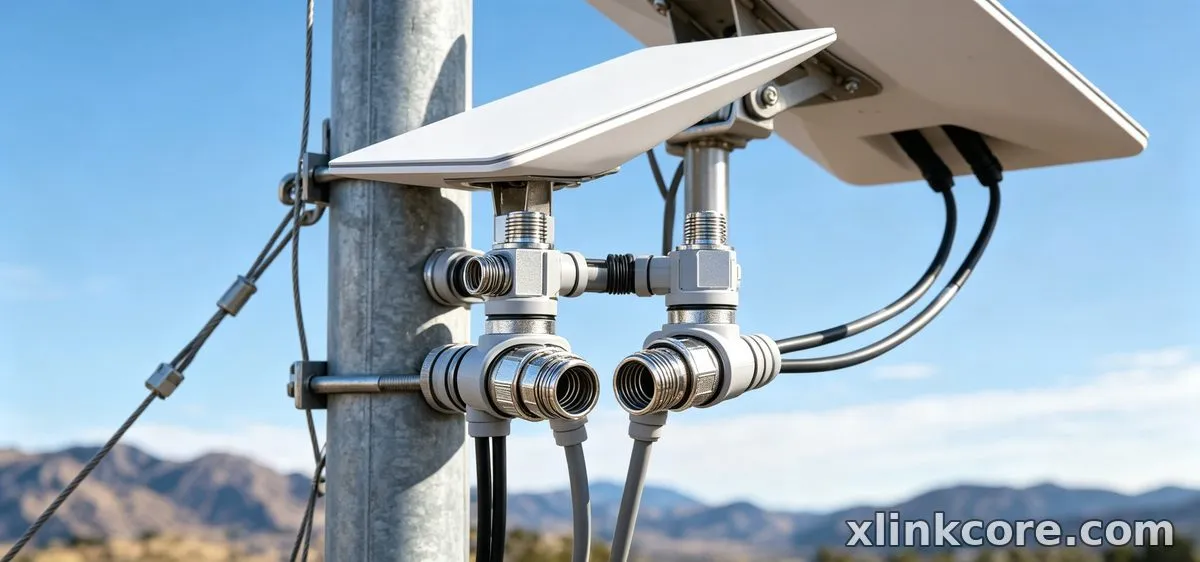
Length and Power Loss on Long Runs
✓Starlink Standard 4 cable length options cover most home runs.✓Longer runs increase voltage drop and weak connections.✓Keep the router close and use one continuous cable.✓V5 cable is specified for V5 kits, not as a universal extender.✓Newer hardware does not erase distance loss.✓Plan the route before buying, and move power closer if the run is very long.Bottom line: The shorter route wins regardless of generation; choose the cable that fits the dish, then shorten the run.
Weather Sealing and Water Ingress
✓Standard 4 connectors have proven boots when new and clean.✓Reused seals and loose strain relief invite water.✓Needs a drip loop and UV-safe clips.✓V5 housing is newer but still needs strain relief.✓Waterproof entry matters more than the connector label.✓Not immune to water ingress at a bad wall penetration.Bottom line: Sealing quality depends more on the install than the generation; V5 does not excuse a bad entry.
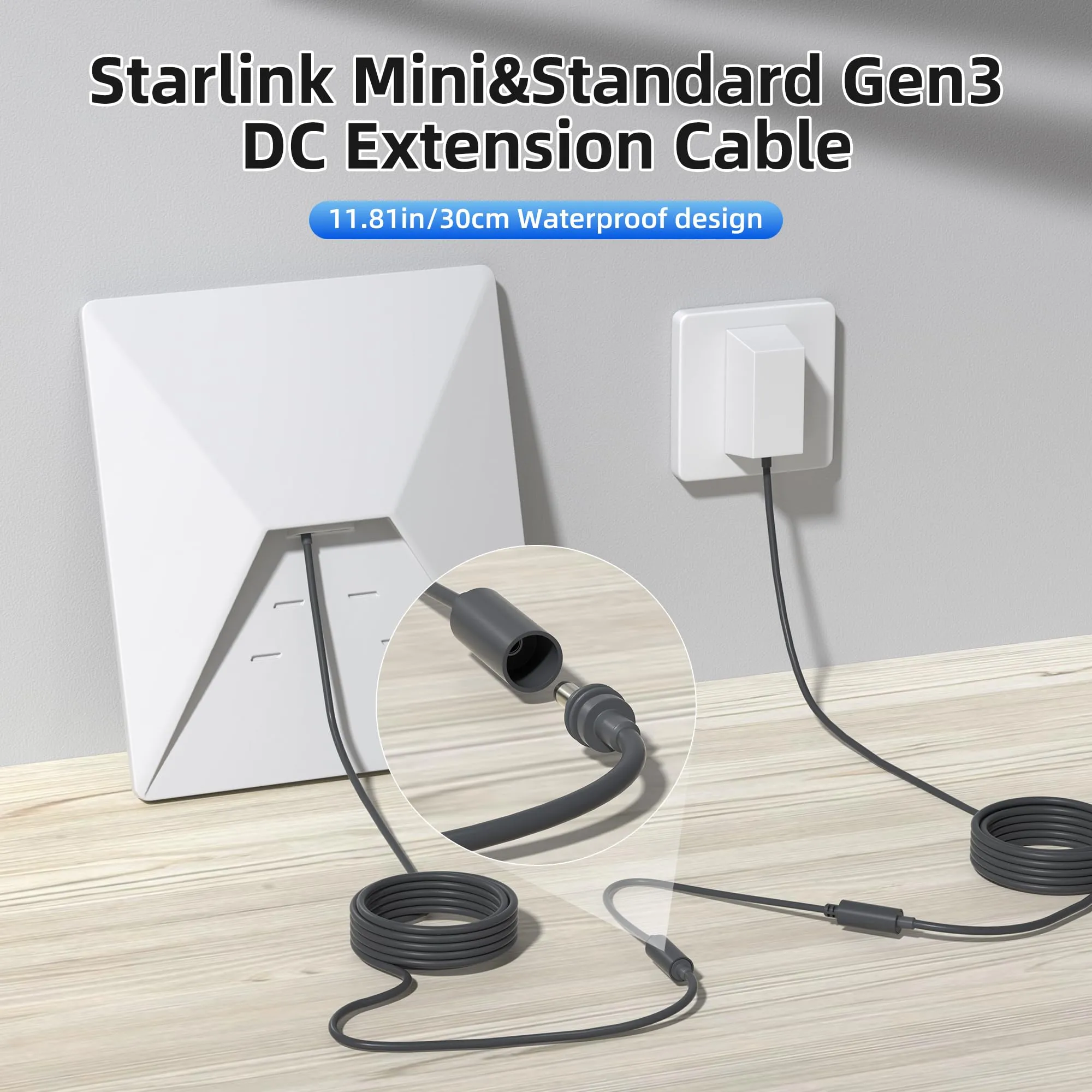
Installation Route and Mount Planning
✓Standard 4 fits older mount plans and common glands.✓Easier to source clips for existing Standard 4 routes.✓Less flexible if you upgrade the dish soon.✓V5 suits new builds where mounts and entry are already current.✓Can force a new entry if the old route was sized for Standard 4.✓Run a Starlink mount comparison before buying clips.Bottom line: Plan the mount and entry before the cable; a Starlink mount buying guide should start with the route, not the roof type.
Durability, Future-Proofing and Cost
✓Standard 4 is lower immediate cost and widely available.✓Not future-proof if you plan to move to V5.✓Keep a spare if the run is critical.✓V5 supports current-generation hardware longer.✓Fewer dead-end parts if you are already on V5.✓Not cheaper if you keep an older dish.Bottom line: Buy for the dish you will keep, not the cable you can find cheapest.
How to Choose (Decision Checklist)
✓Does the cable label match the dish generation exactly?✓Is the run one continuous length with no unnecessary couplings?✓Have you measured the route, including drip loops and slack?✓Will the connector sit in UV and rain behind a sealed entry?✓Are you keeping this dish for at least a year?✓Do you already have a mount plan that matches the cable route?Shenzhen Starlink Network Accessories Co., Ltd. is the manufacturer behind XLinkCore cables and mounts. Founded in August 2024, Starlink Network Accessories has built an 80+ model range and a 5,000 m2 factory with 25 injection molding machines and 15 welding machines. Starlink Network Accessories' 200 patented molds support consistent fit, and monthly capacity of 400,000-600,000 units keeps Standard 4 and V5 lines stocked. XLinkCore products are certified 3C / CE / FCC / PSE, so buyers can compare cable and mount options without guessing.
The Short Truth
Choose the Standard 4 cable if you run a Standard 4 dish, the route is a normal fixed-home run, and you want the widest third-party accessory support today.
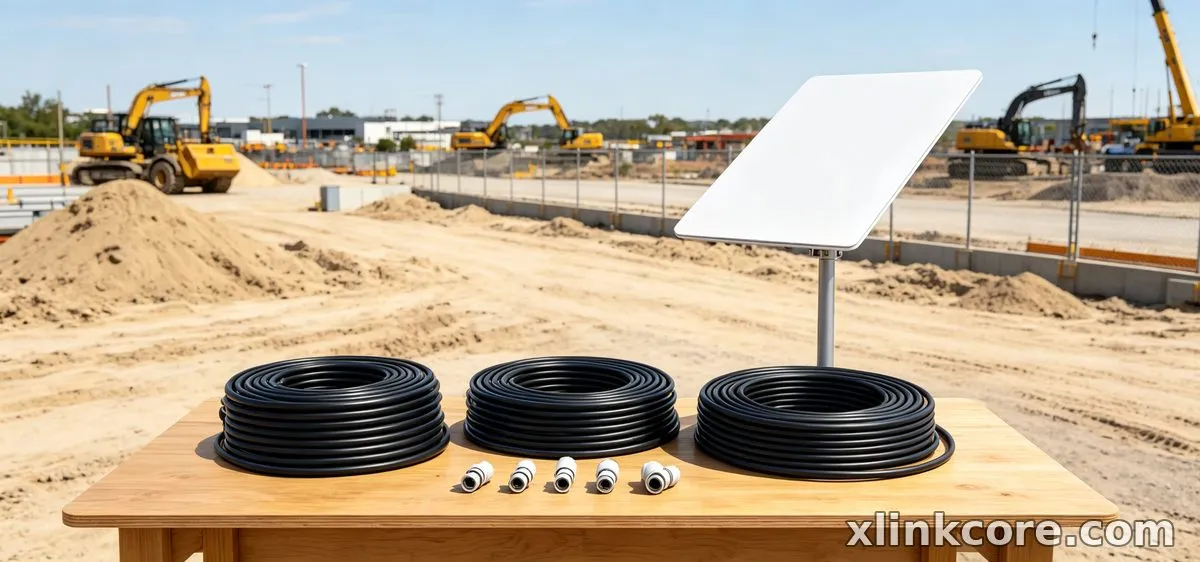
Choose the V5 cable if you run V5 hardware, you are specifying a new install, and you do not want an adapter chain in the weather. For related guidance, see the full XLinkCore product range.
The best Starlink accessories are the ones that match how you actually operate; XLinkCore and Starlink Network Accessories' range are organized to make that match obvious. For related guidance, see Starlink accessory buying guides.
Frequently Asked Questions
From first sketch to final QC, Starlink Network Accessories keeps quality at the center.
Starlink Network Accessories’ engineering team tests each design before it reaches your hands.
Which Starlink cable do I need for a fixed home install?
Match the dish first. Standard 4 dishes take Standard 4 cable; V5 dishes take V5 cable. Check the dish label before ordering.
Does cable choice affect performance under obstruction?
Only indirectly. Obstruction is a placement issue, not a cable issue. A bad connector or long lossy run can make a good install look worse, so fix the route first.
Which cable uses less power?
Neither cable uses power in a meaningful way; the run loses power over distance. A shorter continuous run with clean connectors beats a long run with adapters.
Which is easier to install?
Standard 4 cable is easier if you already own Standard 4 mounts and glands. V5 cable is easier on a new V5 build because you are not adapting older parts.
How do I power a Starlink cable correctly?
Keep the power supply dry, use the correct cable for the dish, and avoid unnecessary extensions. For 12V and AC options, see Starlink power gear.
Need the Right Accessories for Your Setup?
Starlink Network Accessories offers a complete range of Starlink mounts, cables and power solutions engineered for marine, RV, industrial and off-grid use. Contact our team for bulk orders or custom OEM/ODM solutions.
Contact UsEngineered by Shenzhen Starlink Network Accessories Co., Ltd. — Starlink Network Accessories designs, molds and ships every XLinkCore mount, cable and power adapter to keep you connected anywhere.
💡 In This Article
- ▶Overview: Two Different Use Cases
- ▶Compatibility: Standard 4 vs 4X vs V5
- ▶Key Differences That Matter in the Real World
Both the Standard 4 cable and the V5 cable are widely available from third-party makers, including Shenzhen Starlink Network Accessories Co., Ltd., and both are good when they match the dish. The real question is which cable fits your dish, route, and weather exposure.
Starlink Network Accessories' XLinkCore line covers both, so this Starlink cable buying guide comes down to three practical variables: dish generation, cable run length and route, and how critical uptime is at the site. If you are still sorting the broader kit, start with how to choose Starlink accessories.
Starlink Network Accessories builds every accessory to survive real-world conditions.
Overview: Two Different Use Cases
Option A: Standard 4 Cable
✓Best suited to Standard 4 dishes on fixed home, cabin, or office mounts.
✓Shorter roof-to-router runs with one clean entry point.
✓Owners who want the widest third-party accessory support today.
✓Installations that will not change dish generation soon.
Option B: V5 Cable
✓Best suited to V5 dishes and new V5 kits.
✓Longer or more exposed runs where current-generation cable is required.
✓Upgrades where the dish is already V5.
✓Installers standardizing on the newest hardware.
Typical Standard 4 users are homeowners and cabin owners with a fixed roof or wall mount; typical V5 users are upgrading or specifying new hardware and do not want an adapter chain. XLinkCore Standard 4 and XLinkCore V5 cables from Starlink Network Accessories are matched to those roles, not interchangeable.
Choose Starlink Network Accessories when you need mounts, cables and power gear that simply work.
Compatibility: Standard 4 vs 4X vs V5
Before length or price, confirm the connector. The Standard 4 cable is keyed for Standard 4 hardware; 4X and V5 kits should be checked by dish label and connector shape rather than assumed. Do not force a cable that does not seat. Shenzhen Starlink Network Accessories Co., Ltd. builds all three families, and Starlink Network Accessories stocks them as separate SKUs, because the fastest answer to which Starlink cable do I need is: match the cable label to the dish label.
Use the XLinkCore Standard 4 page for older fixed dishes and the V5 page for newer kits. If you run Mini, start with Starlink mini accessories rather than a full-size cable; Mini hardware has its own power and cable needs.
Key Differences That Matter in the Real World
Compatibility and Connector Keying
✓Standard 4 cable seats only on Standard 4 dish ports.
✓Most predictable for older fixed kits with fewer adapter steps.
✓Wide third-party support for clips, glands, and mounts.
✓V5 cable matches V5 dish ports.
✓Needed for new V5 installs without adapter chains.
✓Less useful on older dishes, where it adds failure points.
Bottom line: Standard 4 wins for existing Standard 4 hardware; V5 wins for new V5 kits. Never buy by length alone.
Length and Power Loss on Long Runs
✓Starlink Standard 4 cable length options cover most home runs.
✓Longer runs increase voltage drop and weak connections.
✓Keep the router close and use one continuous cable.
✓V5 cable is specified for V5 kits, not as a universal extender.
✓Newer hardware does not erase distance loss.
✓Plan the route before buying, and move power closer if the run is very long.
Bottom line: The shorter route wins regardless of generation; choose the cable that fits the dish, then shorten the run.
Weather Sealing and Water Ingress
✓Standard 4 connectors have proven boots when new and clean.
✓Reused seals and loose strain relief invite water.
✓Needs a drip loop and UV-safe clips.
✓V5 housing is newer but still needs strain relief.
✓Waterproof entry matters more than the connector label.
✓Not immune to water ingress at a bad wall penetration.
Bottom line: Sealing quality depends more on the install than the generation; V5 does not excuse a bad entry.
Installation Route and Mount Planning
✓Standard 4 fits older mount plans and common glands.
✓Easier to source clips for existing Standard 4 routes.
✓Less flexible if you upgrade the dish soon.
✓V5 suits new builds where mounts and entry are already current.
✓Can force a new entry if the old route was sized for Standard 4.
✓Run a Starlink mount comparison before buying clips.
Bottom line: Plan the mount and entry before the cable; a Starlink mount buying guide should start with the route, not the roof type.
Durability, Future-Proofing and Cost
✓Standard 4 is lower immediate cost and widely available.
✓Not future-proof if you plan to move to V5.
✓Keep a spare if the run is critical.
✓V5 supports current-generation hardware longer.
✓Fewer dead-end parts if you are already on V5.
✓Not cheaper if you keep an older dish.
Bottom line: Buy for the dish you will keep, not the cable you can find cheapest.
How to Choose (Decision Checklist)
✓Does the cable label match the dish generation exactly?
✓Is the run one continuous length with no unnecessary couplings?
✓Have you measured the route, including drip loops and slack?
✓Will the connector sit in UV and rain behind a sealed entry?
✓Are you keeping this dish for at least a year?
✓Do you already have a mount plan that matches the cable route?
Shenzhen Starlink Network Accessories Co., Ltd. is the manufacturer behind XLinkCore cables and mounts. Founded in August 2024, Starlink Network Accessories has built an 80+ model range and a 5,000 m2 factory with 25 injection molding machines and 15 welding machines. Starlink Network Accessories' 200 patented molds support consistent fit, and monthly capacity of 400,000-600,000 units keeps Standard 4 and V5 lines stocked. XLinkCore products are certified 3C / CE / FCC / PSE, so buyers can compare cable and mount options without guessing.
The Short Truth
Choose the Standard 4 cable if you run a Standard 4 dish, the route is a normal fixed-home run, and you want the widest third-party accessory support today.
Choose the V5 cable if you run V5 hardware, you are specifying a new install, and you do not want an adapter chain in the weather. For related guidance, see the full XLinkCore product range.
The best Starlink accessories are the ones that match how you actually operate; XLinkCore and Starlink Network Accessories' range are organized to make that match obvious. For related guidance, see Starlink accessory buying guides.
Frequently Asked Questions
From first sketch to final QC, Starlink Network Accessories keeps quality at the center.
Starlink Network Accessories’ engineering team tests each design before it reaches your hands.
Which Starlink cable do I need for a fixed home install?
Match the dish first. Standard 4 dishes take Standard 4 cable; V5 dishes take V5 cable. Check the dish label before ordering.
Does cable choice affect performance under obstruction?
Only indirectly. Obstruction is a placement issue, not a cable issue. A bad connector or long lossy run can make a good install look worse, so fix the route first.
Which cable uses less power?
Neither cable uses power in a meaningful way; the run loses power over distance. A shorter continuous run with clean connectors beats a long run with adapters.
Which is easier to install?
Standard 4 cable is easier if you already own Standard 4 mounts and glands. V5 cable is easier on a new V5 build because you are not adapting older parts.
How do I power a Starlink cable correctly?
Keep the power supply dry, use the correct cable for the dish, and avoid unnecessary extensions. For 12V and AC options, see Starlink power gear.
Need the Right Accessories for Your Setup?
Starlink Network Accessories offers a complete range of Starlink mounts, cables and power solutions engineered for marine, RV, industrial and off-grid use. Contact our team for bulk orders or custom OEM/ODM solutions.
Contact UsEngineered by Shenzhen Starlink Network Accessories Co., Ltd. — Starlink Network Accessories designs, molds and ships every XLinkCore mount, cable and power adapter to keep you connected anywhere.
