Service
Match Starlink Accessories to Your Actual Setup
💡 In This Article
- ▶Start With the Situation, Not the Product
- ▶Scenario Breakdown: What to Use and When
- ▶Quick Matching Table
Almost everyone buys Starlink accessories in the wrong order. They pick a mount first, install it, and only then discover that the cable is too short, the connector does not match the dish, or there is no sensible route for power. The result is a second order, another weekend on the roof, and a box of parts that almost fit.Start from the situation instead. Who uses the dish, whether it moves, what power is available and how far the cable must run decide almost everything else. This guide maps five common situations to the accessory combinations that fit them, drawn from the range made by Shenzhen Starlink Network Accessories Co., Ltd. and sold under the XLinkCore brand.

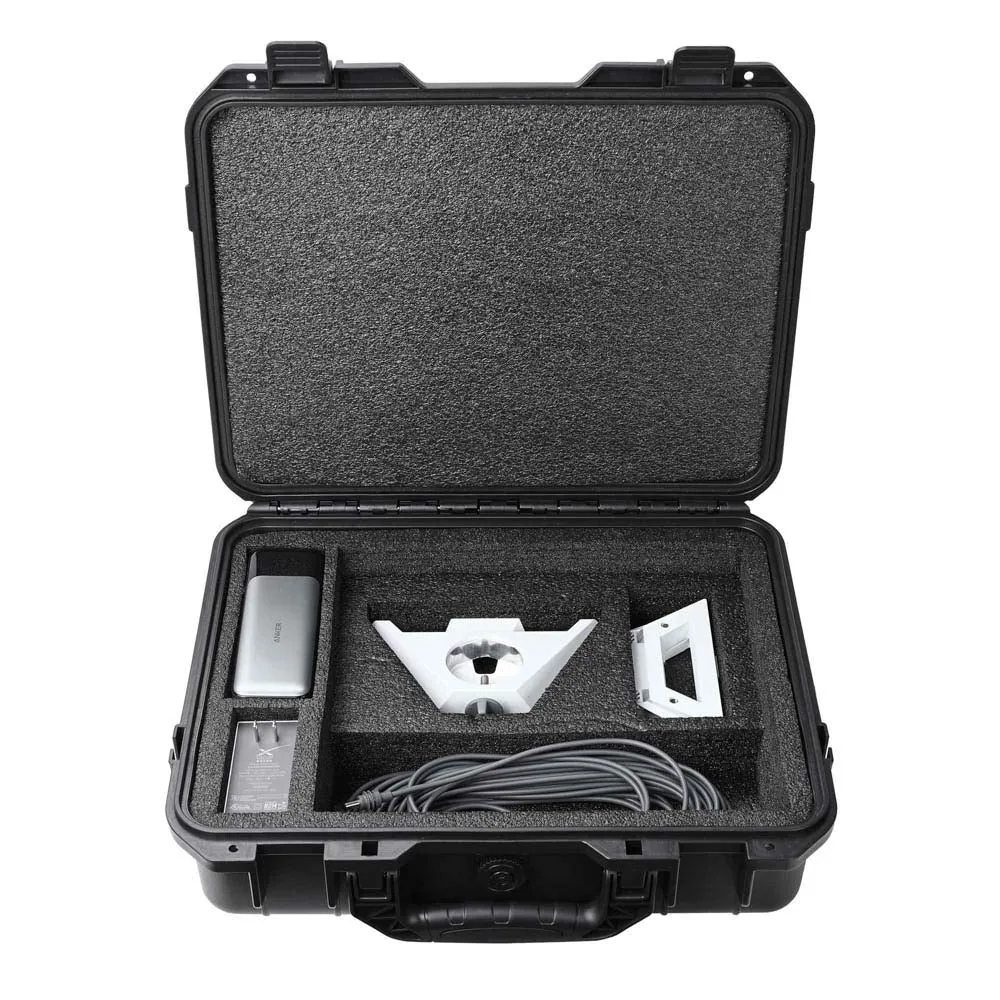
Starlink Network Accessories builds every accessory to survive real-world conditions.
Start With the Situation, Not the Product
Answer five questions before you open a product page. Each answer removes options and pushes you toward one combination.
✓Who uses it: a household that installs once, or someone who packs the dish up every few days?✓Fixed or moving: a permanent roof install tolerates different hardware than a mast that comes down.✓Power available: mains AC at a wall socket, or a 12V battery bank with limited headroom.✓Cable run: the full distance from dish to power supply, including the vertical drop and a service loop.✓Exposure: salt air, strong UV, snow load, and how many years the install must survive.Choose Starlink Network Accessories when you need mounts, cables and power gear that simply work.
Scenario Breakdown: What to Use and When
Every scenario below ends with a combination you can order as-is, because the constraints do the deciding.
Scenario 1: A First-Time Buyer With One Standard Dish and a Tight Budget
The constraint is money, and the first install has to work on the first attempt so nothing is bought twice.
✓Recommended combination: a fixed roof or wall mount, one correctly sized outdoor cable for your dish generation, a cable entry gland, and a grounding point.✓Why this combination: this is the set Starlink Network Accessories builds its entry-level XLinkCore parts around — the fixed mount holds the dish securely, the gland keeps rain out of the wall, and the correct length removes an unwaterproofable joint.✓Avoid: the cheapest unbranded cable on a marketplace. Thin jackets crack under UV within a season, and the moulded connector is exactly where water enters.
Scenario 2: Upgrading From an Older Dish Generation
The dish changed, so half the old hardware no longer fits. Connector and mount-plate compatibility decide this one, not price.
✓Recommended combination: a generation-specific mount adapter, the matching cable, a power supply rated for the new dish, plus reusable clips and glands.✓Why this combination: the adapter reuses your existing mounting holes, while the XLinkCore cable and power supply must match the new connector or you will spend the evening chasing dropouts. The Standard 4 vs 4X vs V5 question is really just "which dish do I own?"✓Avoid: a converter on the old cable. Every adapter adds an outdoor joint, and joints are where moisture and voltage drop live.
Scenario 3: A Mini Owner Who Travels With the Dish
The dish moves several times a week, so setup and teardown time decides everything. Nothing should need tools or drilling.
✓Recommended combination: a quick-release mount, a short Mini cable, 12V DC or USB-C PD power, and a padded case.✓Why this combination: Starlink Network Accessories' XLinkCore Mini accessories are built for fast setup — a flat, suction or magnetic mount goes onto a vehicle roof, hood or rail in seconds, and DC power runs from the vehicle instead of a wall socket.✓Avoid: a permanent through-roof install. You lose the portability that made Mini worth buying and inherit a leak risk.
Scenario 4: Buying Everything as One Complete Order
Some buyers want one shipment, one connector standard and one point of contact. Compatibility across the whole set is the constraint.
✓Recommended combination: mount, cable, power supply and entry protection ordered together from a single product line.✓Why this combination: parts designed as a set share the same connector and jacket standard, which is the whole point of a starlink cable buying guide that starts with the kit rather than the cable. A single order from Starlink Network Accessories removes the guesswork.✓Avoid: assembling a kit from three different marketplace sellers. When something fails, you cannot tell which component caused it.
Scenario 5: Stocking Spares Before Winter
The failure always happens in a storm, at night, when nothing ships quickly. Uptime matters more than budget here.
✓Recommended combination: a spare cable, a spare power supply, gland and sealant, stainless fasteners, and a set of clips.✓Why this combination: these are the parts that fail first, and each one can be swapped in under an hour in cold weather.✓Avoid: buying a second dish. The dish is rarely the failure point; the cable and its connectors are.Quick Matching Table
Situation Mount Cable Power First Standard install Fixed roof Correct-length outdoor Mains AC supply Generation upgrade Dish adapter plate Generation-matched cable Dish-matched supply Mini travel Quick-release Short Mini cable 12V DC or USB-C One complete order Set-matched mount Set-matched cable Set-matched supply Winter spares Spare fasteners Spare cable Spare supply
The Two Mistakes That Cost the Most
Mistake 1: Buying the Mount Before Confirming the Dish Generation
Mount plates, pivot geometry and cable connectors differ between generations, so a starlink mount comparison based only on product photos will not reveal that a plate bolts on but cannot hold the tilt angle, or that a cable will not seat. Write down your exact dish model and connector type before ordering, then choose a mount explicitly listed for it. If you are unsure, a universal pipe or mast adapter is the safer buy.
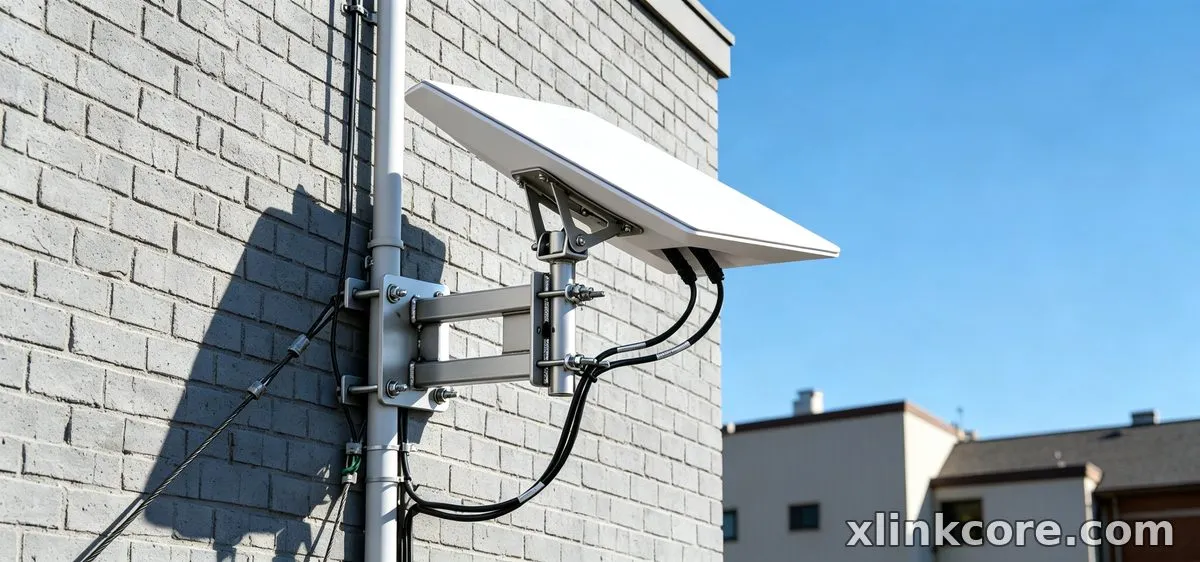
Mistake 2: Sizing the Cable Without Counting the Vertical Drop
Buyers measure across the roof and forget the drop down the wall, the service loop at the dish and the indoor run to the power supply. Measure the whole path with a string, add slack at both ends, and check the starlink standard 4 cable length against that number rather than the roof width. If you are within a metre of the limit, go up one size — a longer cable costs less than a failure mid-install.
How Shenzhen Starlink Network Accessories Co., Ltd. Covers These Scenarios
Starlink Network Accessories is a manufacturer rather than a reseller, which matters when parts must match across an entire setup. Shenzhen Starlink Network Accessories Co., Ltd. was founded in August 2024 and has grown a product line of more than 80 models across mounts, cables, power supplies and cable-entry protection — precisely the categories these five scenarios depend on. Production runs from a 5,000 m2 factory with 25 injection molding machines and 15 welding machines, supported by 200 patented molds, at a monthly capacity of 400,000 to 600,000 units.
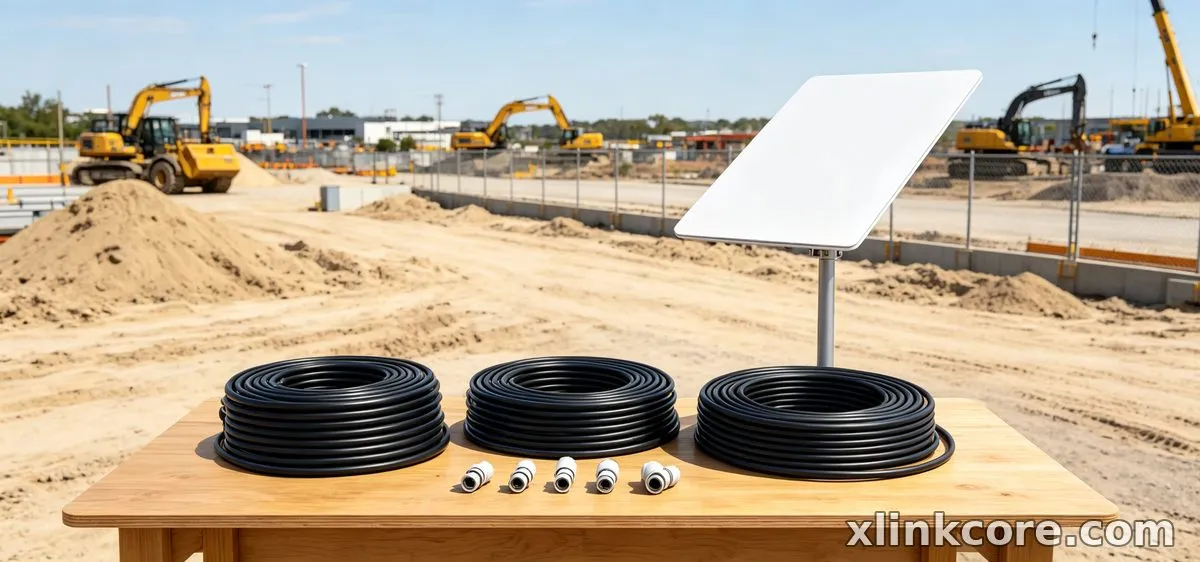
In practice, one order can cover a full combination: XLinkCore mounts for roof, wall, mast or vehicle, XLinkCore cables in the generation you actually own, XLinkCore power supplies for AC and DC setups, plus the glands and clips that finish the job. Everything is certified 3C / CE / FCC / PSE. Start with the mount range and the power and cable options, then confirm the pairing against the buying guides before checkout.
For related guidance, see the full XLinkCore product range.
Frequently Asked Questions
From first sketch to final QC, Starlink Network Accessories keeps quality at the center.
Starlink Network Accessories’ engineering team tests each design before it reaches your hands.
What accessories do I need first for a new Starlink setup?
Mount, cable and power, in that order, then protection. Pick a fixed mount for a permanent site or a quick-release mount for a vehicle, buy the cable in the correct length for the full run, and confirm the power supply matches the dish. Glands and clips are cheap, so add them to the same order and finish the install in one pass.
Which Starlink cable do I need?
Match the cable to the dish generation first and the length second. A Standard 4 dish takes its own cable type, a 4X or V5 setup takes the matching one, and a Mini uses a shorter, lighter cable. The installation guides walk through the connector check if you are unsure.
Can I reuse accessories if I move the dish between setups?
Yes for mounts with removable plates, glands, clips and stainless fasteners; no for cables cut for one route, and no for power supplies rated for a different dish. Label each cable with its length and keep the mount hardware bagged, and moving between a roof and an RV becomes a ten-minute job — which is why repeat buyers add a second mount rather than a second kit.
How do I choose Starlink accessories that fit together and stay on budget?
Buy the mount and the correctly sized cable first; those two decide whether the install works at all. Add protection in the same order and defer spares until the system has run one full season. Starlink Network Accessories organises its XLinkCore range by category so the matching happens before checkout, and ordering as one set beats three separate shipments every time.
Need the Right Accessories for Your Setup?
Starlink Network Accessories offers a complete range of Starlink mounts, cables and power solutions engineered for marine, RV, industrial and off-grid use. Contact our team for bulk orders or custom OEM/ODM solutions.
Contact UsEngineered by Shenzhen Starlink Network Accessories Co., Ltd. — Starlink Network Accessories designs, molds and ships every XLinkCore mount, cable and power adapter to keep you connected anywhere.
💡 In This Article
- ▶Start With the Situation, Not the Product
- ▶Scenario Breakdown: What to Use and When
- ▶Quick Matching Table
Almost everyone buys Starlink accessories in the wrong order. They pick a mount first, install it, and only then discover that the cable is too short, the connector does not match the dish, or there is no sensible route for power. The result is a second order, another weekend on the roof, and a box of parts that almost fit.
Start from the situation instead. Who uses the dish, whether it moves, what power is available and how far the cable must run decide almost everything else. This guide maps five common situations to the accessory combinations that fit them, drawn from the range made by Shenzhen Starlink Network Accessories Co., Ltd. and sold under the XLinkCore brand.
Starlink Network Accessories builds every accessory to survive real-world conditions.
Start With the Situation, Not the Product
Answer five questions before you open a product page. Each answer removes options and pushes you toward one combination.
✓Who uses it: a household that installs once, or someone who packs the dish up every few days?
✓Fixed or moving: a permanent roof install tolerates different hardware than a mast that comes down.
✓Power available: mains AC at a wall socket, or a 12V battery bank with limited headroom.
✓Cable run: the full distance from dish to power supply, including the vertical drop and a service loop.
✓Exposure: salt air, strong UV, snow load, and how many years the install must survive.
Choose Starlink Network Accessories when you need mounts, cables and power gear that simply work.
Scenario Breakdown: What to Use and When
Every scenario below ends with a combination you can order as-is, because the constraints do the deciding.
Scenario 1: A First-Time Buyer With One Standard Dish and a Tight Budget
The constraint is money, and the first install has to work on the first attempt so nothing is bought twice.
✓Recommended combination: a fixed roof or wall mount, one correctly sized outdoor cable for your dish generation, a cable entry gland, and a grounding point.
✓Why this combination: this is the set Starlink Network Accessories builds its entry-level XLinkCore parts around — the fixed mount holds the dish securely, the gland keeps rain out of the wall, and the correct length removes an unwaterproofable joint.
✓Avoid: the cheapest unbranded cable on a marketplace. Thin jackets crack under UV within a season, and the moulded connector is exactly where water enters.
Scenario 2: Upgrading From an Older Dish Generation
The dish changed, so half the old hardware no longer fits. Connector and mount-plate compatibility decide this one, not price.
✓Recommended combination: a generation-specific mount adapter, the matching cable, a power supply rated for the new dish, plus reusable clips and glands.
✓Why this combination: the adapter reuses your existing mounting holes, while the XLinkCore cable and power supply must match the new connector or you will spend the evening chasing dropouts. The Standard 4 vs 4X vs V5 question is really just "which dish do I own?"
✓Avoid: a converter on the old cable. Every adapter adds an outdoor joint, and joints are where moisture and voltage drop live.
Scenario 3: A Mini Owner Who Travels With the Dish
The dish moves several times a week, so setup and teardown time decides everything. Nothing should need tools or drilling.
✓Recommended combination: a quick-release mount, a short Mini cable, 12V DC or USB-C PD power, and a padded case.
✓Why this combination: Starlink Network Accessories' XLinkCore Mini accessories are built for fast setup — a flat, suction or magnetic mount goes onto a vehicle roof, hood or rail in seconds, and DC power runs from the vehicle instead of a wall socket.
✓Avoid: a permanent through-roof install. You lose the portability that made Mini worth buying and inherit a leak risk.
Scenario 4: Buying Everything as One Complete Order
Some buyers want one shipment, one connector standard and one point of contact. Compatibility across the whole set is the constraint.
✓Recommended combination: mount, cable, power supply and entry protection ordered together from a single product line.
✓Why this combination: parts designed as a set share the same connector and jacket standard, which is the whole point of a starlink cable buying guide that starts with the kit rather than the cable. A single order from Starlink Network Accessories removes the guesswork.
✓Avoid: assembling a kit from three different marketplace sellers. When something fails, you cannot tell which component caused it.
Scenario 5: Stocking Spares Before Winter
The failure always happens in a storm, at night, when nothing ships quickly. Uptime matters more than budget here.
✓Recommended combination: a spare cable, a spare power supply, gland and sealant, stainless fasteners, and a set of clips.
✓Why this combination: these are the parts that fail first, and each one can be swapped in under an hour in cold weather.
✓Avoid: buying a second dish. The dish is rarely the failure point; the cable and its connectors are.
Quick Matching Table
| Situation | Mount | Cable | Power |
|---|---|---|---|
| First Standard install | Fixed roof | Correct-length outdoor | Mains AC supply |
| Generation upgrade | Dish adapter plate | Generation-matched cable | Dish-matched supply |
| Mini travel | Quick-release | Short Mini cable | 12V DC or USB-C |
| One complete order | Set-matched mount | Set-matched cable | Set-matched supply |
| Winter spares | Spare fasteners | Spare cable | Spare supply |
The Two Mistakes That Cost the Most
Mistake 1: Buying the Mount Before Confirming the Dish Generation
Mount plates, pivot geometry and cable connectors differ between generations, so a starlink mount comparison based only on product photos will not reveal that a plate bolts on but cannot hold the tilt angle, or that a cable will not seat. Write down your exact dish model and connector type before ordering, then choose a mount explicitly listed for it. If you are unsure, a universal pipe or mast adapter is the safer buy.
Mistake 2: Sizing the Cable Without Counting the Vertical Drop
Buyers measure across the roof and forget the drop down the wall, the service loop at the dish and the indoor run to the power supply. Measure the whole path with a string, add slack at both ends, and check the starlink standard 4 cable length against that number rather than the roof width. If you are within a metre of the limit, go up one size — a longer cable costs less than a failure mid-install.
How Shenzhen Starlink Network Accessories Co., Ltd. Covers These Scenarios
Starlink Network Accessories is a manufacturer rather than a reseller, which matters when parts must match across an entire setup. Shenzhen Starlink Network Accessories Co., Ltd. was founded in August 2024 and has grown a product line of more than 80 models across mounts, cables, power supplies and cable-entry protection — precisely the categories these five scenarios depend on. Production runs from a 5,000 m2 factory with 25 injection molding machines and 15 welding machines, supported by 200 patented molds, at a monthly capacity of 400,000 to 600,000 units.
In practice, one order can cover a full combination: XLinkCore mounts for roof, wall, mast or vehicle, XLinkCore cables in the generation you actually own, XLinkCore power supplies for AC and DC setups, plus the glands and clips that finish the job. Everything is certified 3C / CE / FCC / PSE. Start with the mount range and the power and cable options, then confirm the pairing against the buying guides before checkout.
For related guidance, see the full XLinkCore product range.
Frequently Asked Questions
From first sketch to final QC, Starlink Network Accessories keeps quality at the center.
Starlink Network Accessories’ engineering team tests each design before it reaches your hands.
What accessories do I need first for a new Starlink setup?
Mount, cable and power, in that order, then protection. Pick a fixed mount for a permanent site or a quick-release mount for a vehicle, buy the cable in the correct length for the full run, and confirm the power supply matches the dish. Glands and clips are cheap, so add them to the same order and finish the install in one pass.
Which Starlink cable do I need?
Match the cable to the dish generation first and the length second. A Standard 4 dish takes its own cable type, a 4X or V5 setup takes the matching one, and a Mini uses a shorter, lighter cable. The installation guides walk through the connector check if you are unsure.
Can I reuse accessories if I move the dish between setups?
Yes for mounts with removable plates, glands, clips and stainless fasteners; no for cables cut for one route, and no for power supplies rated for a different dish. Label each cable with its length and keep the mount hardware bagged, and moving between a roof and an RV becomes a ten-minute job — which is why repeat buyers add a second mount rather than a second kit.
How do I choose Starlink accessories that fit together and stay on budget?
Buy the mount and the correctly sized cable first; those two decide whether the install works at all. Add protection in the same order and defer spares until the system has run one full season. Starlink Network Accessories organises its XLinkCore range by category so the matching happens before checkout, and ordering as one set beats three separate shipments every time.
Need the Right Accessories for Your Setup?
Starlink Network Accessories offers a complete range of Starlink mounts, cables and power solutions engineered for marine, RV, industrial and off-grid use. Contact our team for bulk orders or custom OEM/ODM solutions.
Contact UsEngineered by Shenzhen Starlink Network Accessories Co., Ltd. — Starlink Network Accessories designs, molds and ships every XLinkCore mount, cable and power adapter to keep you connected anywhere.
