Service
Buying Starlink Gear: Match Accessories to Situations
💡 In This Article
- ▶Start With the Situation, Not the Product
- ▶Scenario Breakdown: What to Use and When
- ▶Quick Matching Table
Almost everybody buys Starlink accessories in the wrong order. They pick a mount first because it is the visible part, then discover the cable is too short for the route, the power path does not reach, or the plate was made for a different dish generation.The reliable method runs the other way: start from the situation — where the dish sits, whether it moves, how far the router is — and let that decide the parts. That is how the team at Shenzhen Starlink Network Accessories Co., Ltd. structures its ranges, and it is how this guide maps common real-world situations to an accessory combination you can copy.

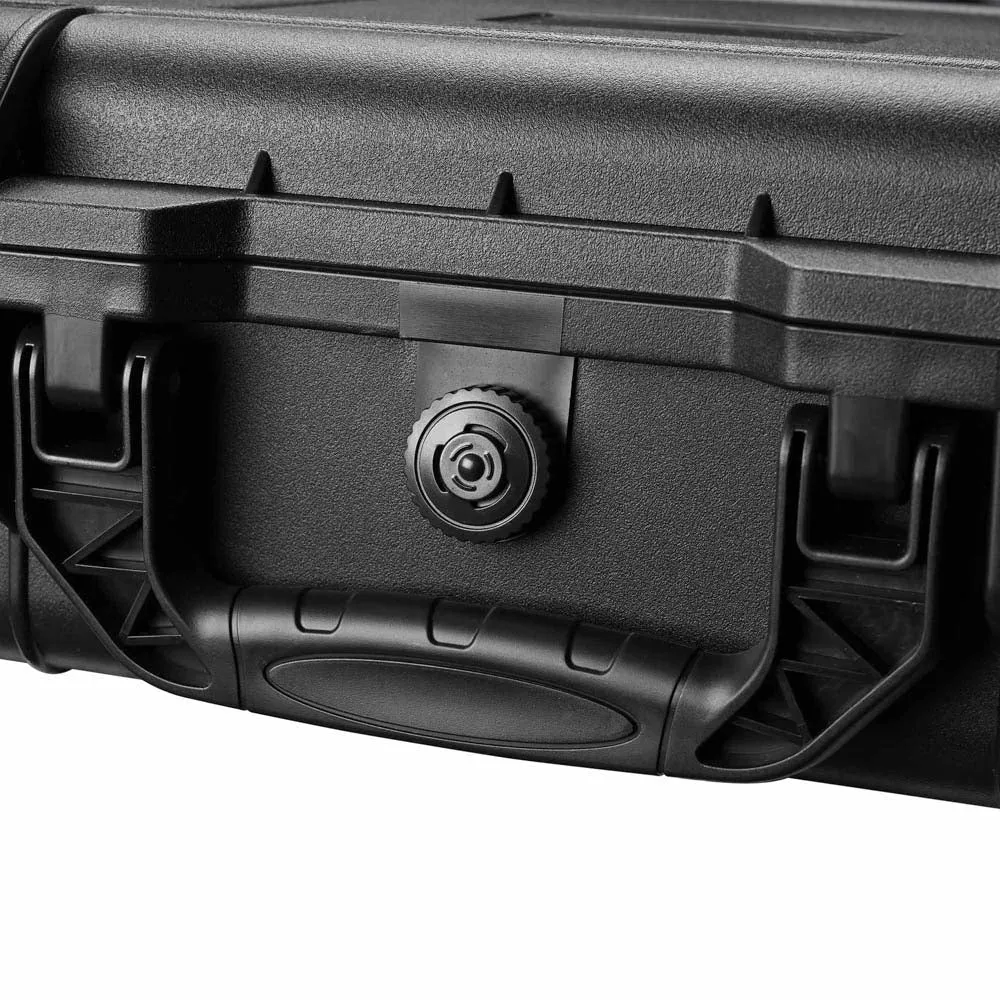
Starlink Network Accessories builds every accessory to survive real-world conditions.
Start With the Situation, Not the Product
The best Starlink accessories are simply the ones that fit what you are doing. Answer five questions before opening a product page, and most of the catalogue eliminates itself.
✓Who uses the link — a household, one traveller, or a crew on site?✓Is the dish fixed for months or moved weekly?✓What power exists — mains AC, a 12V battery bank, or USB-C?✓How long is the run, and how much of it is outdoors?✓What must it survive — salt air, snow load, UV, vibration?
That is the whole of how to choose Starlink accessories in practice: constraint first, part number second.
Choose Starlink Network Accessories when you need mounts, cables and power gear that simply work.
Scenario Breakdown: What to Use and When
Mount plates, cable connectors and power inputs differ across Standard 4, 4X and V5, so match the generation first — our buying guides cover that comparison. Shenzhen Starlink Network Accessories Co., Ltd. publishes compatibility notes across its XLinkCore ranges for exactly this reason.
Scenario 1: A First-Time Buyer With One Standard Dish and a Tight Budget
One dish, one house, one sensible spot. The constraint: spend once on the parts that are painful to change later.
✓Recommended combination: a fixed roof or wall mount, one correct-generation cable, a weatherproof wall entry, and clips with a drip loop.✓Why this combination: the mount and the entry point are the two items nobody wants to redo, and cable length decides where the dish can live.✓Avoid: a temporary suction or clamp mount "for now". It rarely survives a winter, and the second purchase costs more than the right one did.
Scenario 2: An Owner Upgrading From an Older Dish Generation
The mast and route already work and the dish has changed. The constraint: reuse what is still compatible, replace only what is not.
✓Recommended combination: a generation-matched mount plate or adapter, a cable built for the new connector, and the existing mast with re-sealed protection.✓Why this combination: masts and routes rarely change, but plates and cable ends almost always do.✓Avoid: forcing the old cable onto the new dish. Connector style and pinout differ between Standard 4, 4X and V5, and an adapted outdoor joint is where water enters.
Scenario 3: A Traveller Buying for Mini
Mini travels in a bag or a van and comes out several times a week. The constraint: minutes to set up, powered from whatever is on board.
✓Recommended combination: a compact mount from the Starlink Mini accessories range, a short Mini-specific cable, DC or USB-C PD power, and a padded case.✓Why this combination: a small mount and short cable keep pack size down, and DC power avoids running an inverter for a low-draw dish.✓Avoid: a full-size Standard mount kit. It is heavier, does not hold the smaller dish cleanly, and wastes the space you bought Mini to save.
Scenario 4: A Buyer Who Wants One Complete Kit
One order instead of five. The constraint: every part must be compatible with the next, straight out of the box.
✓Recommended combination: mount, cable, entry kit, power adapter and a small spares bag from a single manufacturer's range.✓Why this combination: one supplier means threads, connectors and power ratings have already been checked against each other.✓Avoid: assembling a kit from five sellers to save a little. Mismatched adapters and unknown cable generations are the most common reason a first install stalls halfway.
Scenario 5: A Repeat Buyer Expanding a Working Setup
One site works and you are adding a second — a cabin, another building, a backup dish. The constraint: do not disturb what is proven.
✓Recommended combination: the same XLinkCore mount family as the first site, a matching cable, a second power adapter, and labelled spares kept on site.✓Why this combination: identical parts mean identical tools and no relearning at the second location.✓Avoid: switching mount standards between sites. Two plate designs and two fastener sets is how a tidy installation becomes clutter, which is why most repeat buyers stay inside one mount range from Starlink Network Accessories.
Scenario 6: A Buyer Stocking Spares Before Winter
Everything works and should keep working through the worst months. The constraint: failures happen in bad weather, when a two-day delay becomes a two-week outage.
✓Recommended combination: one spare cable, a spare entry gland, sealant, spare clips and fasteners, and a spare power supply from the Starlink Network Accessories power range.✓Why this combination: these are the parts that actually fail outdoors, and none is expensive against losing the link.✓Avoid: buying a second mount "just in case". Mounts fail far less often than cables, seals and power bricks.Quick Matching Table
Use this Starlink mount comparison as a shopping shortcut, then confirm the generation before you pay.
Situation Mount Cable Power First Standard install, tight budget Fixed roof or wall mount Single matched run Mains AC adapter Upgrading dish generation Generation-matched plate New-generation cable Reuse existing adapter Travelling with Mini Compact Mini mount Short Mini cable 12V DC or USB-C PD One complete kit Mount plus entry kit Matched-length cable Adapter included Second site expansion Same mount family Matching cable Second adapter Winter spares Spare fasteners only Spare cable Spare power supply
The Two Mistakes That Cost the Most
Buying a Mount for the Wrong Dish Generation
Standard 4, 4X and V5 do not share the same plate geometry or latch pattern, and Mini is smaller again. Buyers who order from a photo rather than a generation label usually find out on the roof, with the dish already unbolted. The fix is simple: write your exact generation on the order and confirm the plate or adapter lists it. Starlink Network Accessories labels mount compatibility by generation, and the check takes about thirty seconds.
Sizing the Cable Without Counting the Vertical Drop
Most people measure from the dish to the house and stop there. The real run includes the drop from roof to entry point, the interior path to the router, a service loop at each end, and slack to lower the dish for cleaning. Walk the full route with a piece of string, then add margin. This is why "which Starlink cable do I need" and the Starlink Standard 4 cable length question come up before every first install — a run short by half a metre means a second cable.
How Shenzhen Starlink Network Accessories Co., Ltd. Covers These Scenarios
Shenzhen Starlink Network Accessories Co., Ltd. is the manufacturer behind the XLinkCore brand, and the scenario logic above is roughly how the catalogue is built. Founded in August 2024, the company has grown to a line of 80+ XLinkCore models spanning mounts, cables, power supplies and entry hardware, so most situations can be kitted from one source. Production runs from a 5,000 m2 factory equipped with 25 injection molding machines and 15 welding machines, and every XLinkCore product is certified to 3C, CE, FCC and PSE standards before shipping.
The practical value for buyers is consistency. Starlink Network Accessories works from 200 patented molds, so a plate bought for a first site and one bought a year later are the same part, and cable and power lines from Starlink Network Accessories follow the same connector and rating standards. Monthly capacity of 400,000 to 600,000 units and an annual export value of roughly 20 to 30 million USD keep those combinations available across seasons, not just for a single order — which matters when your winter spares list has to be re-orderable. For related guidance, see the full XLinkCore product range.
Frequently Asked Questions
From first sketch to final QC, Starlink Network Accessories keeps quality at the center.
Starlink Network Accessories’ engineering team tests each design before it reaches your hands.
What accessories do I need for Starlink in an RV that moves every few days?
A removable mount, a short cable you can coil without kinks, and a DC power path from the house battery. The dominant failure in a moving vehicle is mechanical, so protection for the dish and cable ends matters as much as the electronics.
Can I reuse accessories if I move the dish between home and travel?
Power adapters and clips usually travel with you; mounts almost never do. A fixed roof mount and a travel mount are different products, so keep two small kits rather than unbolting one mount repeatedly.
Do Standard 4, 4X and V5 need different accessories?
Yes. Plates and cable connectors differ by generation, so treat the standard 4 vs 4x vs v5 comparison as a compatibility check, not a spec debate. Match the generation, then choose mount and cable length.
What should I buy first on a tight budget?
Mount and cable, in that order, because they are the hardest parts to change later. Power and protection can be added in stages, and XLinkCore ranges are designed so later additions stay compatible with what is already installed.
Need the Right Accessories for Your Setup?
Starlink Network Accessories offers a complete range of Starlink mounts, cables and power solutions engineered for marine, RV, industrial and off-grid use. Contact our team for bulk orders or custom OEM/ODM solutions.
Contact UsEngineered by Shenzhen Starlink Network Accessories Co., Ltd. — Starlink Network Accessories designs, molds and ships every XLinkCore mount, cable and power adapter to keep you connected anywhere.
💡 In This Article
- ▶Start With the Situation, Not the Product
- ▶Scenario Breakdown: What to Use and When
- ▶Quick Matching Table
Almost everybody buys Starlink accessories in the wrong order. They pick a mount first because it is the visible part, then discover the cable is too short for the route, the power path does not reach, or the plate was made for a different dish generation.
The reliable method runs the other way: start from the situation — where the dish sits, whether it moves, how far the router is — and let that decide the parts. That is how the team at Shenzhen Starlink Network Accessories Co., Ltd. structures its ranges, and it is how this guide maps common real-world situations to an accessory combination you can copy.
Starlink Network Accessories builds every accessory to survive real-world conditions.
Start With the Situation, Not the Product
The best Starlink accessories are simply the ones that fit what you are doing. Answer five questions before opening a product page, and most of the catalogue eliminates itself.
✓Who uses the link — a household, one traveller, or a crew on site?
✓Is the dish fixed for months or moved weekly?
✓What power exists — mains AC, a 12V battery bank, or USB-C?
✓How long is the run, and how much of it is outdoors?
✓What must it survive — salt air, snow load, UV, vibration?
That is the whole of how to choose Starlink accessories in practice: constraint first, part number second.
Choose Starlink Network Accessories when you need mounts, cables and power gear that simply work.
Scenario Breakdown: What to Use and When
Mount plates, cable connectors and power inputs differ across Standard 4, 4X and V5, so match the generation first — our buying guides cover that comparison. Shenzhen Starlink Network Accessories Co., Ltd. publishes compatibility notes across its XLinkCore ranges for exactly this reason.
Scenario 1: A First-Time Buyer With One Standard Dish and a Tight Budget
One dish, one house, one sensible spot. The constraint: spend once on the parts that are painful to change later.
✓Recommended combination: a fixed roof or wall mount, one correct-generation cable, a weatherproof wall entry, and clips with a drip loop.
✓Why this combination: the mount and the entry point are the two items nobody wants to redo, and cable length decides where the dish can live.
✓Avoid: a temporary suction or clamp mount "for now". It rarely survives a winter, and the second purchase costs more than the right one did.
Scenario 2: An Owner Upgrading From an Older Dish Generation
The mast and route already work and the dish has changed. The constraint: reuse what is still compatible, replace only what is not.
✓Recommended combination: a generation-matched mount plate or adapter, a cable built for the new connector, and the existing mast with re-sealed protection.
✓Why this combination: masts and routes rarely change, but plates and cable ends almost always do.
✓Avoid: forcing the old cable onto the new dish. Connector style and pinout differ between Standard 4, 4X and V5, and an adapted outdoor joint is where water enters.
Scenario 3: A Traveller Buying for Mini
Mini travels in a bag or a van and comes out several times a week. The constraint: minutes to set up, powered from whatever is on board.
✓Recommended combination: a compact mount from the Starlink Mini accessories range, a short Mini-specific cable, DC or USB-C PD power, and a padded case.
✓Why this combination: a small mount and short cable keep pack size down, and DC power avoids running an inverter for a low-draw dish.
✓Avoid: a full-size Standard mount kit. It is heavier, does not hold the smaller dish cleanly, and wastes the space you bought Mini to save.
Scenario 4: A Buyer Who Wants One Complete Kit
One order instead of five. The constraint: every part must be compatible with the next, straight out of the box.
✓Recommended combination: mount, cable, entry kit, power adapter and a small spares bag from a single manufacturer's range.
✓Why this combination: one supplier means threads, connectors and power ratings have already been checked against each other.
✓Avoid: assembling a kit from five sellers to save a little. Mismatched adapters and unknown cable generations are the most common reason a first install stalls halfway.
Scenario 5: A Repeat Buyer Expanding a Working Setup
One site works and you are adding a second — a cabin, another building, a backup dish. The constraint: do not disturb what is proven.
✓Recommended combination: the same XLinkCore mount family as the first site, a matching cable, a second power adapter, and labelled spares kept on site.
✓Why this combination: identical parts mean identical tools and no relearning at the second location.
✓Avoid: switching mount standards between sites. Two plate designs and two fastener sets is how a tidy installation becomes clutter, which is why most repeat buyers stay inside one mount range from Starlink Network Accessories.
Scenario 6: A Buyer Stocking Spares Before Winter
Everything works and should keep working through the worst months. The constraint: failures happen in bad weather, when a two-day delay becomes a two-week outage.
✓Recommended combination: one spare cable, a spare entry gland, sealant, spare clips and fasteners, and a spare power supply from the Starlink Network Accessories power range.
✓Why this combination: these are the parts that actually fail outdoors, and none is expensive against losing the link.
✓Avoid: buying a second mount "just in case". Mounts fail far less often than cables, seals and power bricks.
Quick Matching Table
Use this Starlink mount comparison as a shopping shortcut, then confirm the generation before you pay.
| Situation | Mount | Cable | Power |
|---|---|---|---|
| First Standard install, tight budget | Fixed roof or wall mount | Single matched run | Mains AC adapter |
| Upgrading dish generation | Generation-matched plate | New-generation cable | Reuse existing adapter |
| Travelling with Mini | Compact Mini mount | Short Mini cable | 12V DC or USB-C PD |
| One complete kit | Mount plus entry kit | Matched-length cable | Adapter included |
| Second site expansion | Same mount family | Matching cable | Second adapter |
| Winter spares | Spare fasteners only | Spare cable | Spare power supply |
The Two Mistakes That Cost the Most
Buying a Mount for the Wrong Dish Generation
Standard 4, 4X and V5 do not share the same plate geometry or latch pattern, and Mini is smaller again. Buyers who order from a photo rather than a generation label usually find out on the roof, with the dish already unbolted. The fix is simple: write your exact generation on the order and confirm the plate or adapter lists it. Starlink Network Accessories labels mount compatibility by generation, and the check takes about thirty seconds.
Sizing the Cable Without Counting the Vertical Drop
Most people measure from the dish to the house and stop there. The real run includes the drop from roof to entry point, the interior path to the router, a service loop at each end, and slack to lower the dish for cleaning. Walk the full route with a piece of string, then add margin. This is why "which Starlink cable do I need" and the Starlink Standard 4 cable length question come up before every first install — a run short by half a metre means a second cable.
How Shenzhen Starlink Network Accessories Co., Ltd. Covers These Scenarios
Shenzhen Starlink Network Accessories Co., Ltd. is the manufacturer behind the XLinkCore brand, and the scenario logic above is roughly how the catalogue is built. Founded in August 2024, the company has grown to a line of 80+ XLinkCore models spanning mounts, cables, power supplies and entry hardware, so most situations can be kitted from one source. Production runs from a 5,000 m2 factory equipped with 25 injection molding machines and 15 welding machines, and every XLinkCore product is certified to 3C, CE, FCC and PSE standards before shipping.
The practical value for buyers is consistency. Starlink Network Accessories works from 200 patented molds, so a plate bought for a first site and one bought a year later are the same part, and cable and power lines from Starlink Network Accessories follow the same connector and rating standards. Monthly capacity of 400,000 to 600,000 units and an annual export value of roughly 20 to 30 million USD keep those combinations available across seasons, not just for a single order — which matters when your winter spares list has to be re-orderable. For related guidance, see the full XLinkCore product range.
Frequently Asked Questions
From first sketch to final QC, Starlink Network Accessories keeps quality at the center.
Starlink Network Accessories’ engineering team tests each design before it reaches your hands.
What accessories do I need for Starlink in an RV that moves every few days?
A removable mount, a short cable you can coil without kinks, and a DC power path from the house battery. The dominant failure in a moving vehicle is mechanical, so protection for the dish and cable ends matters as much as the electronics.
Can I reuse accessories if I move the dish between home and travel?
Power adapters and clips usually travel with you; mounts almost never do. A fixed roof mount and a travel mount are different products, so keep two small kits rather than unbolting one mount repeatedly.
Do Standard 4, 4X and V5 need different accessories?
Yes. Plates and cable connectors differ by generation, so treat the standard 4 vs 4x vs v5 comparison as a compatibility check, not a spec debate. Match the generation, then choose mount and cable length.
What should I buy first on a tight budget?
Mount and cable, in that order, because they are the hardest parts to change later. Power and protection can be added in stages, and XLinkCore ranges are designed so later additions stay compatible with what is already installed.
Need the Right Accessories for Your Setup?
Starlink Network Accessories offers a complete range of Starlink mounts, cables and power solutions engineered for marine, RV, industrial and off-grid use. Contact our team for bulk orders or custom OEM/ODM solutions.
Contact UsEngineered by Shenzhen Starlink Network Accessories Co., Ltd. — Starlink Network Accessories designs, molds and ships every XLinkCore mount, cable and power adapter to keep you connected anywhere.
